
Features / Family Records
Family Records
Every child, family and staff member in one place, with a history you can trust.
What it does
- Children, families, authorized pick-ups and classrooms
- Dated enrollment history that billing follows automatically
- Allergies, medical notes and special needs up front
- Every change shows who made it and when
6 screens in about 25 seconds. No sound needed.
Why it matters
Everything else in a center depends on the records being right: who is enrolled, in which room, from what date, with which allergies and who may collect them.
Centerly keeps a dated history instead of a single current value. That is what lets billing, compliance and attendance follow the record without anyone re-entering it.
In practice
One file per child
Room, dates, allergies, medical notes, contacts and documents together, with the family around them.
History, not a snapshot
Status changes are dated lines. Add tomorrow's start or next month's withdrawal today.
Changes you can trust
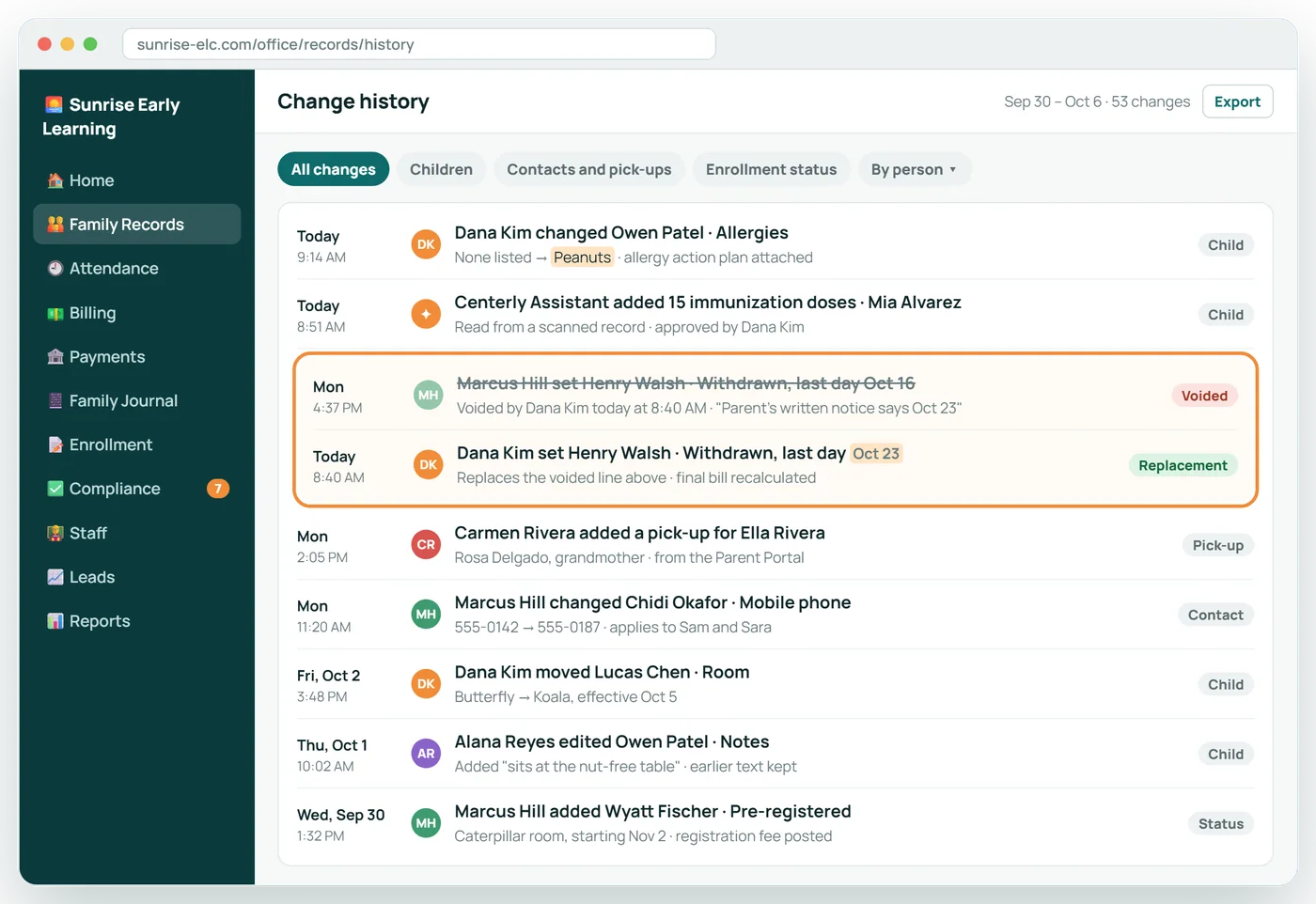
Every edit shows who made it and when. Corrections void and replace; nothing vanishes.
Family Records in 6 screens
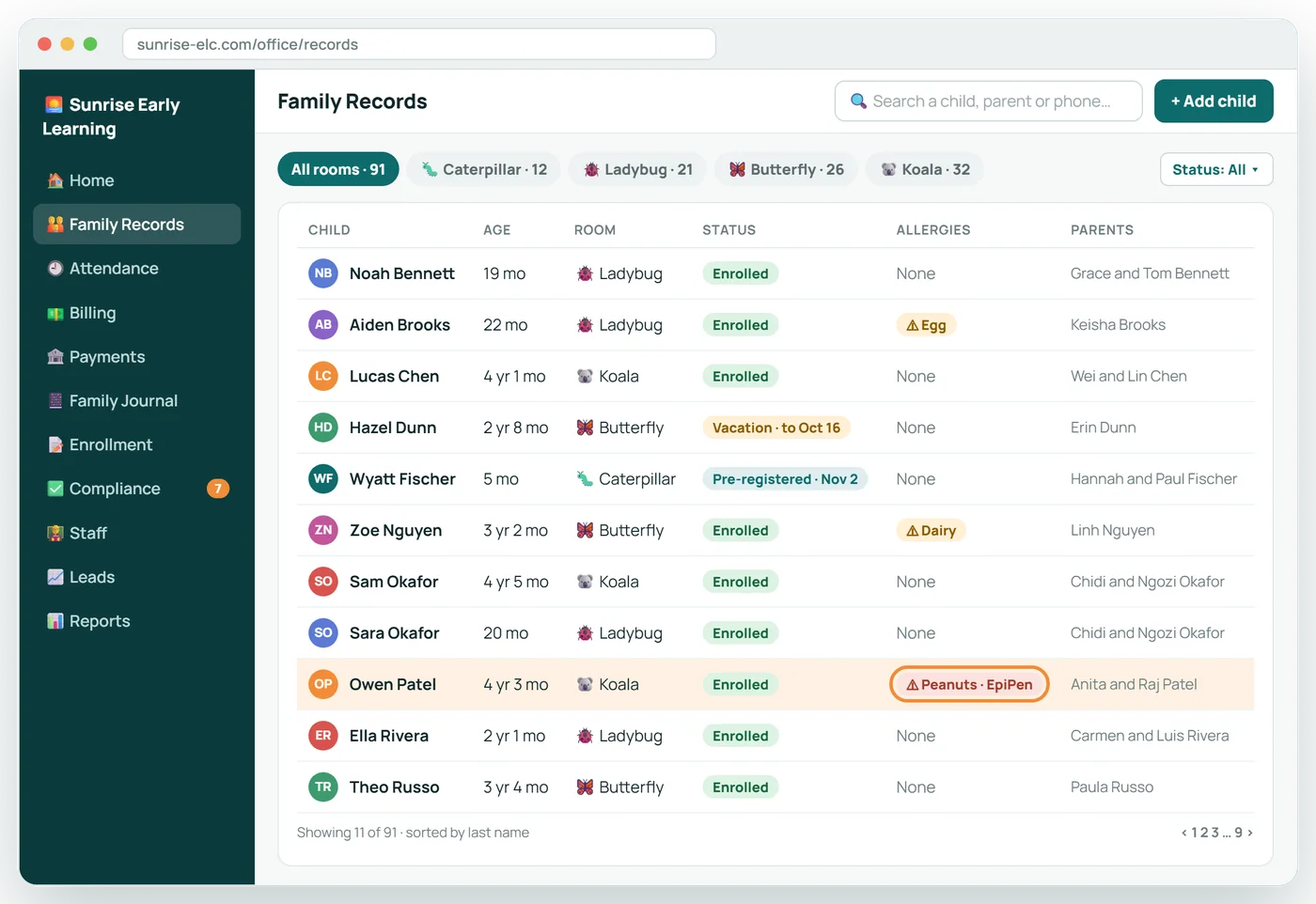
Every child, one searchable list
Search by name, filter by room, and see enrollment status and allergies before you open a single file.
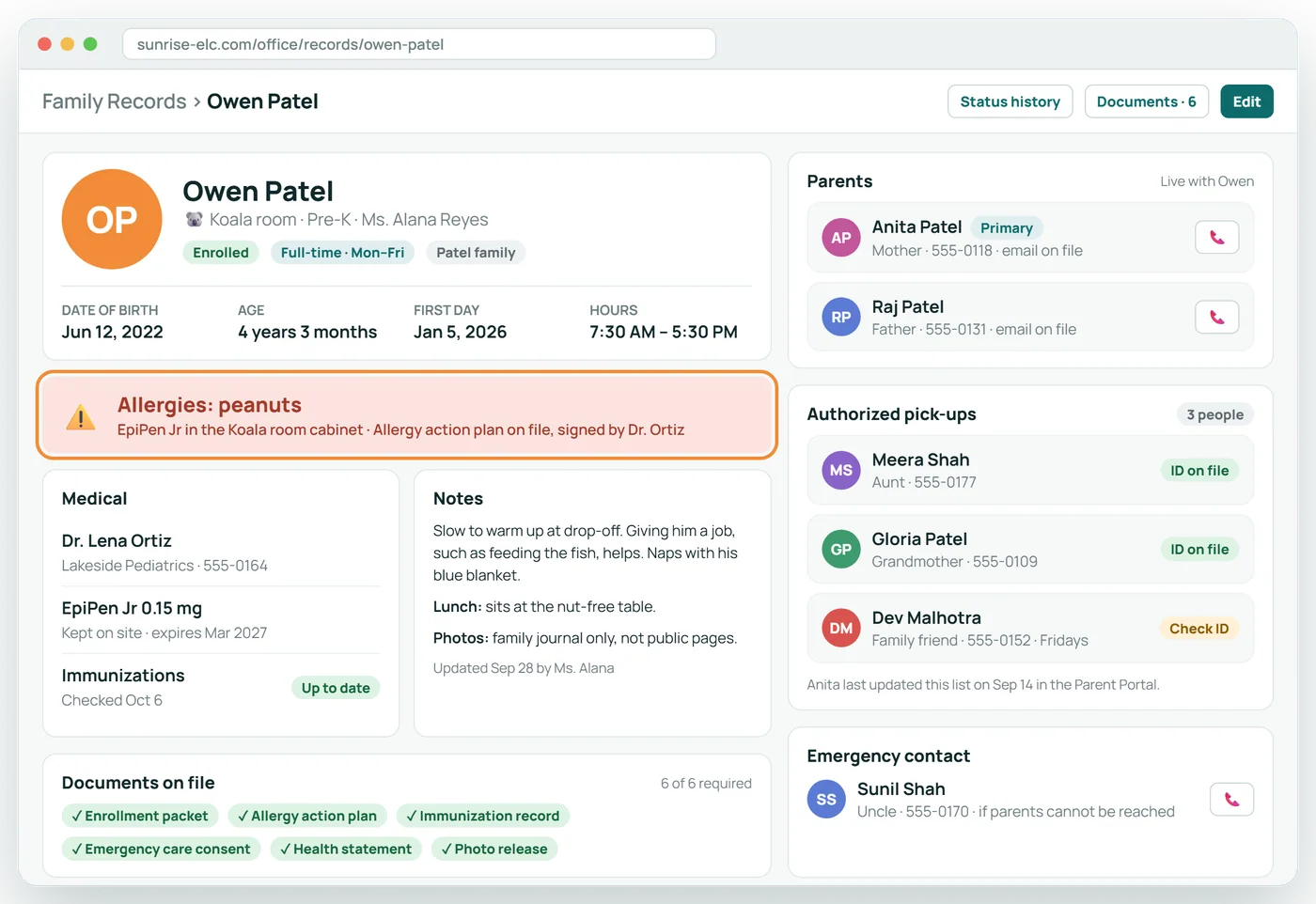
The whole child on one page
Allergies sit at the top where no one can miss them. Parents and authorized pick-ups are one glance away.
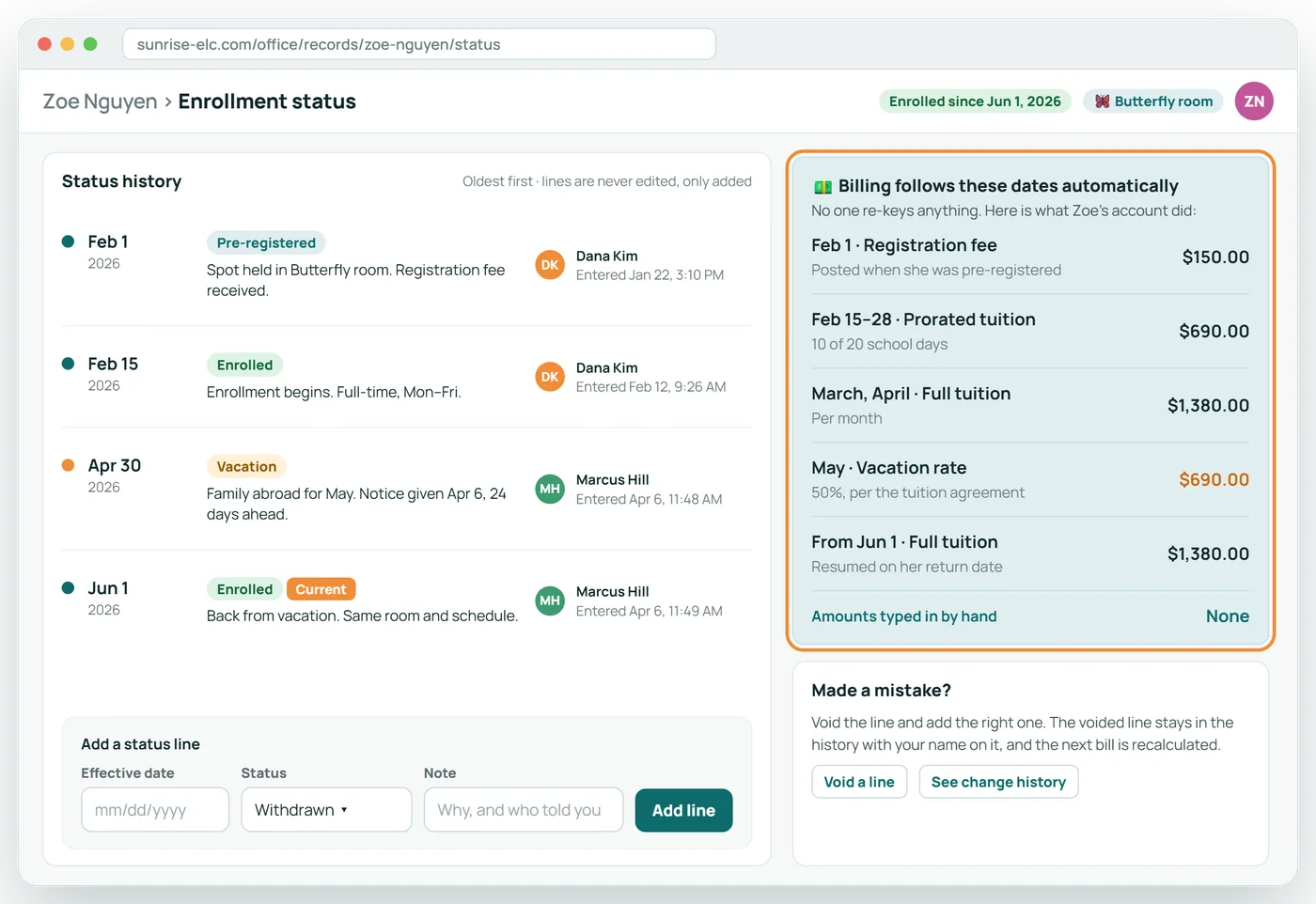
A dated history that billing follows
Each status change is a dated line with a name on it. Tuition, proration and vacation rates follow those dates on their own.
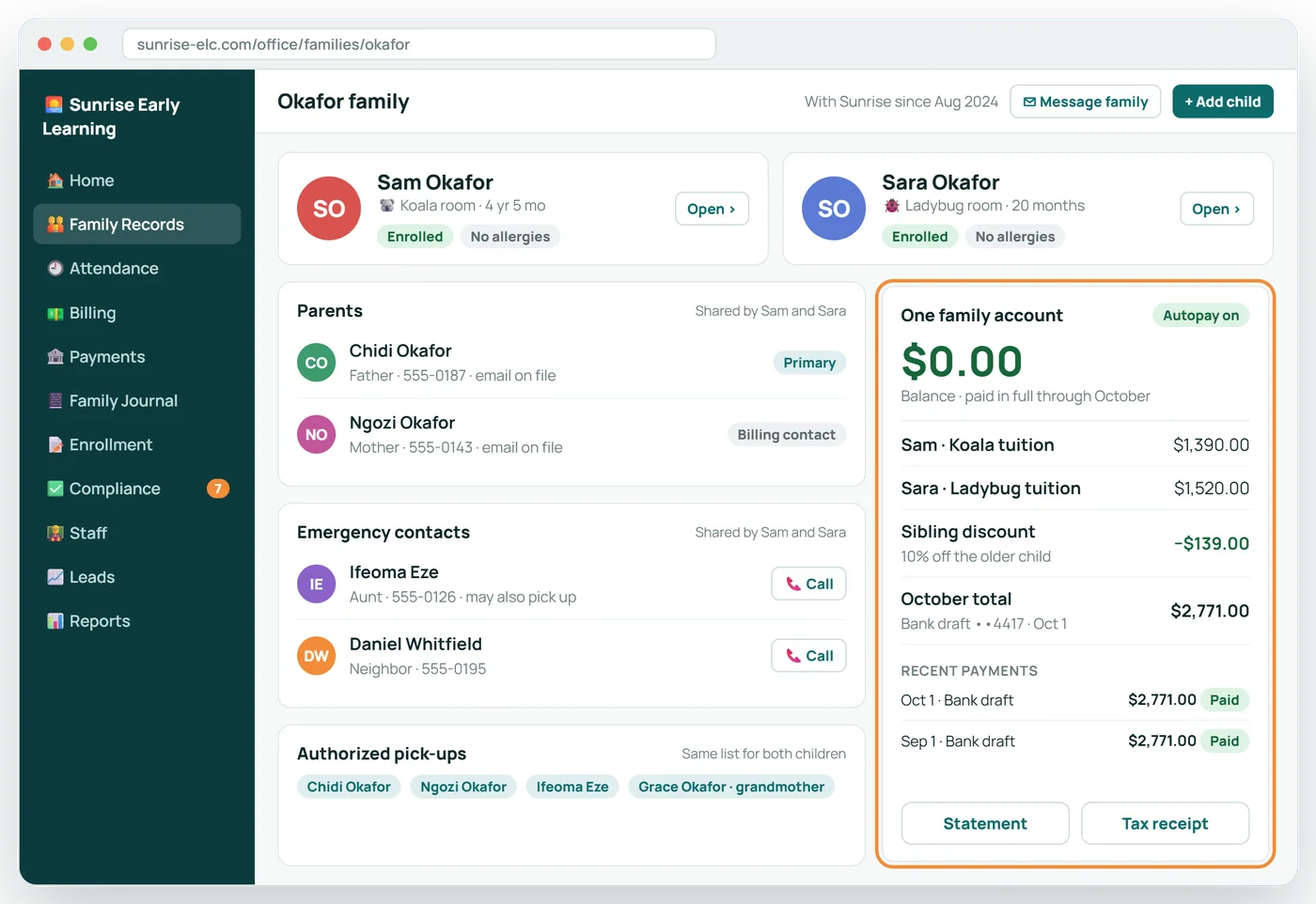
One family, one record, one balance
Siblings share their parents, emergency contacts and a single account, so nothing is typed twice.
Every change shows who and when
Nothing is overwritten. A correction voids the old entry, keeps it on record, and adds the new one beside it.
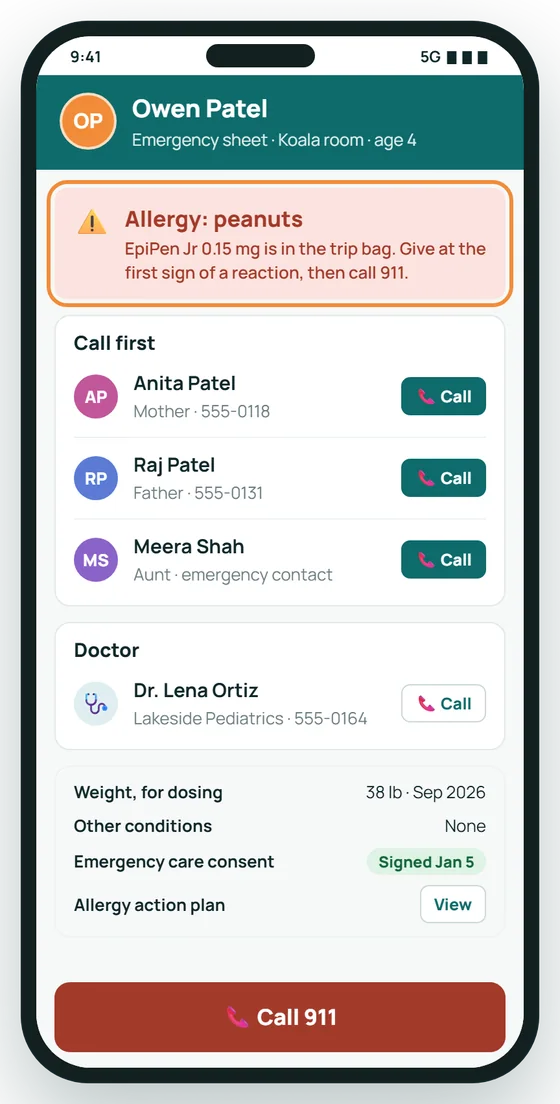
The emergency sheet, in your pocket
On a field trip or in a fire drill, a child's allergies, contacts and doctor are one tap away.
What a child's file holds
- Name, date of birth, classroom and enrollment status history
- Allergies, medical conditions and special needs, shown first
- Parents and guardians, with phone and email
- Authorized pick-ups and emergency contacts
- Immunizations, screenings and health statements
- Signed forms and agreements, with versions
- Attendance history
- Billing: the family's ledger, agreement and payment method
- Incident reports and parent acknowledgments
- A log of every change
About Family Records
What is the enrollment status history?
A dated list of each change: pre-registered, enrolled, on vacation, withdrawn. Future dates are allowed. Billing and compliance follow the dates.
How are allergies handled?
Allergies are shown at the top of a child's file and on classroom and emergency screens. "No known allergies" is recorded as a deliberate answer, separately from a blank.
Can a record be corrected?
Yes. A correction voids the old line and adds the new one, so you can always see what was recorded, by whom and when.
Can siblings share contacts?
Yes. Parents and pick-up people are linked to each child in the family, so a change made once applies to all of them.
Related features
Tuition Billing
Tuition that follows each family's signed agreement, prorated automatically.
See it →ComplianceLicensing and Compliance
Know what an inspector would find, before the inspector does.
See it →For familiesParent Portal
Parents keep their own details current, so your office does not have to.
See it →See Family Records with your own center in mind
A 30-minute call, shaped around how your center runs today.