
What it does
- Parents sign children in and out with a PIN or QR pass
- Staff clock in and out on the same tablet
- Only authorized pick-ups can sign a child out
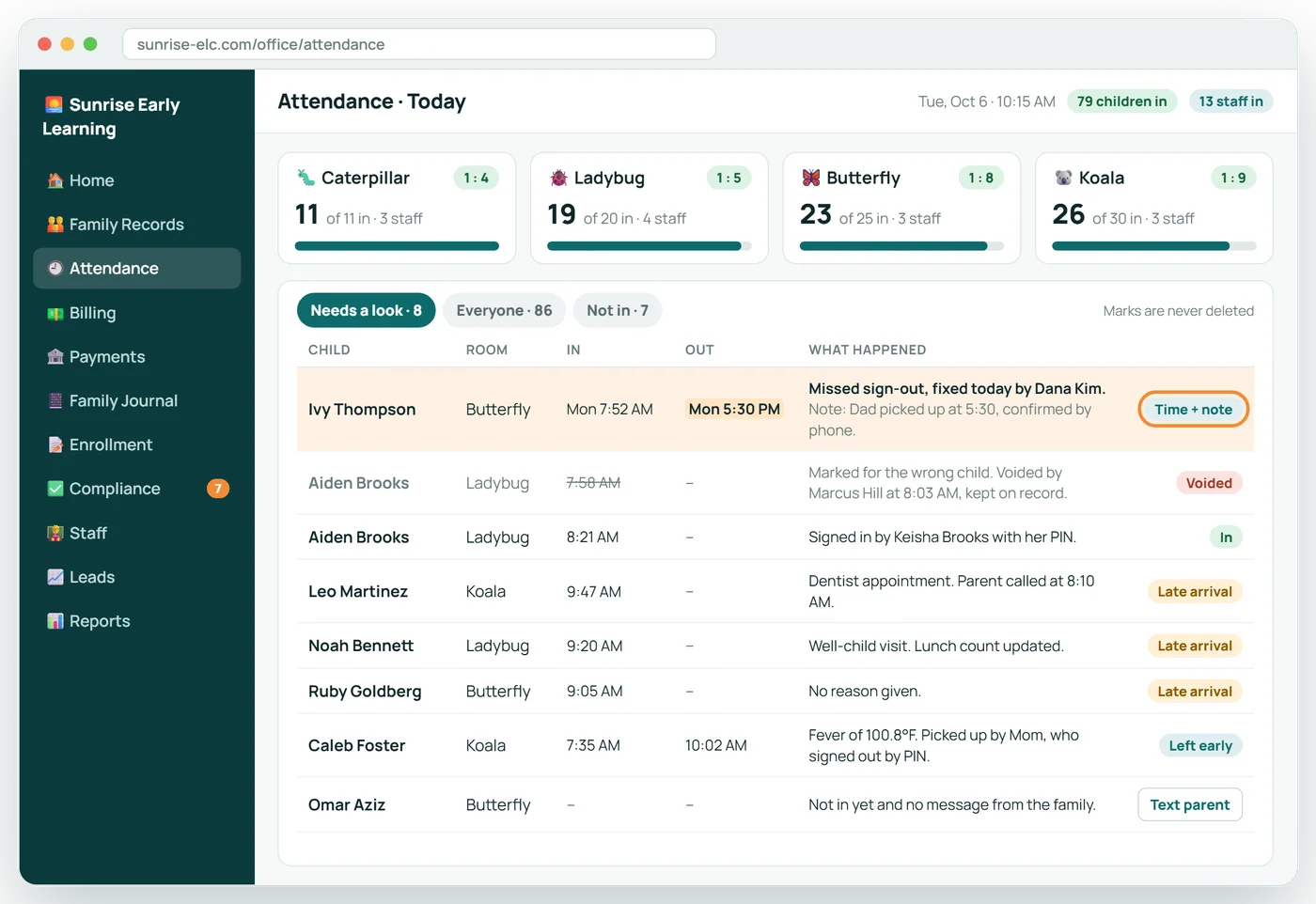
- Wrong marks are voided and kept, never deleted
6 screens in about 25 seconds. No sound needed.
Why it matters
Sign-in and sign-out is the one thing every family touches twice a day, and the record an inspector or a subsidy agency may ask for years later.
Centerly's kiosk runs on a tablet you already own, takes a few seconds, and keeps a record that cannot be quietly altered.
In practice
Parents
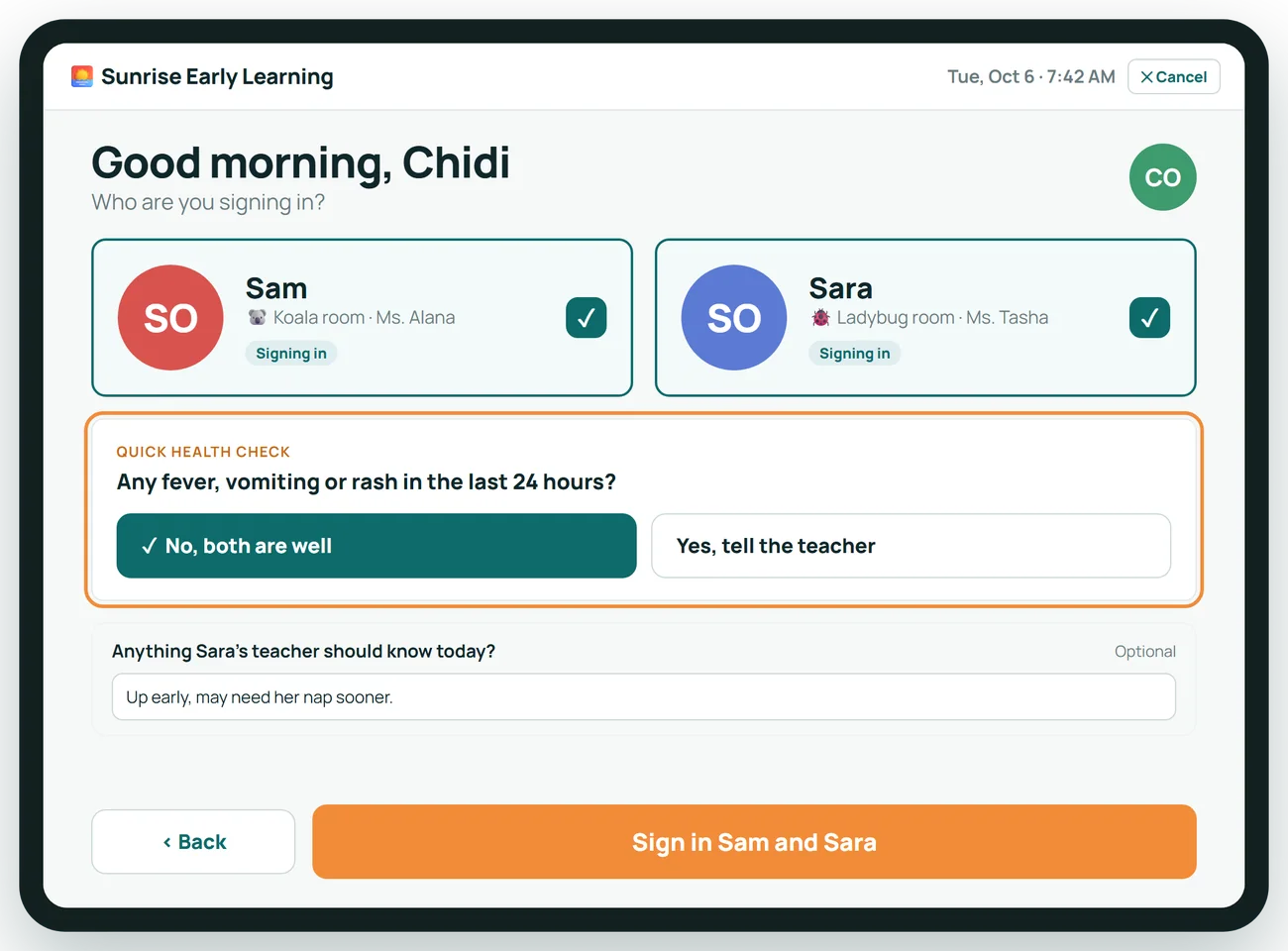
Enter a PIN or show a QR pass, tap the child, done. A quick health question can be asked at sign-in.
Pick-up
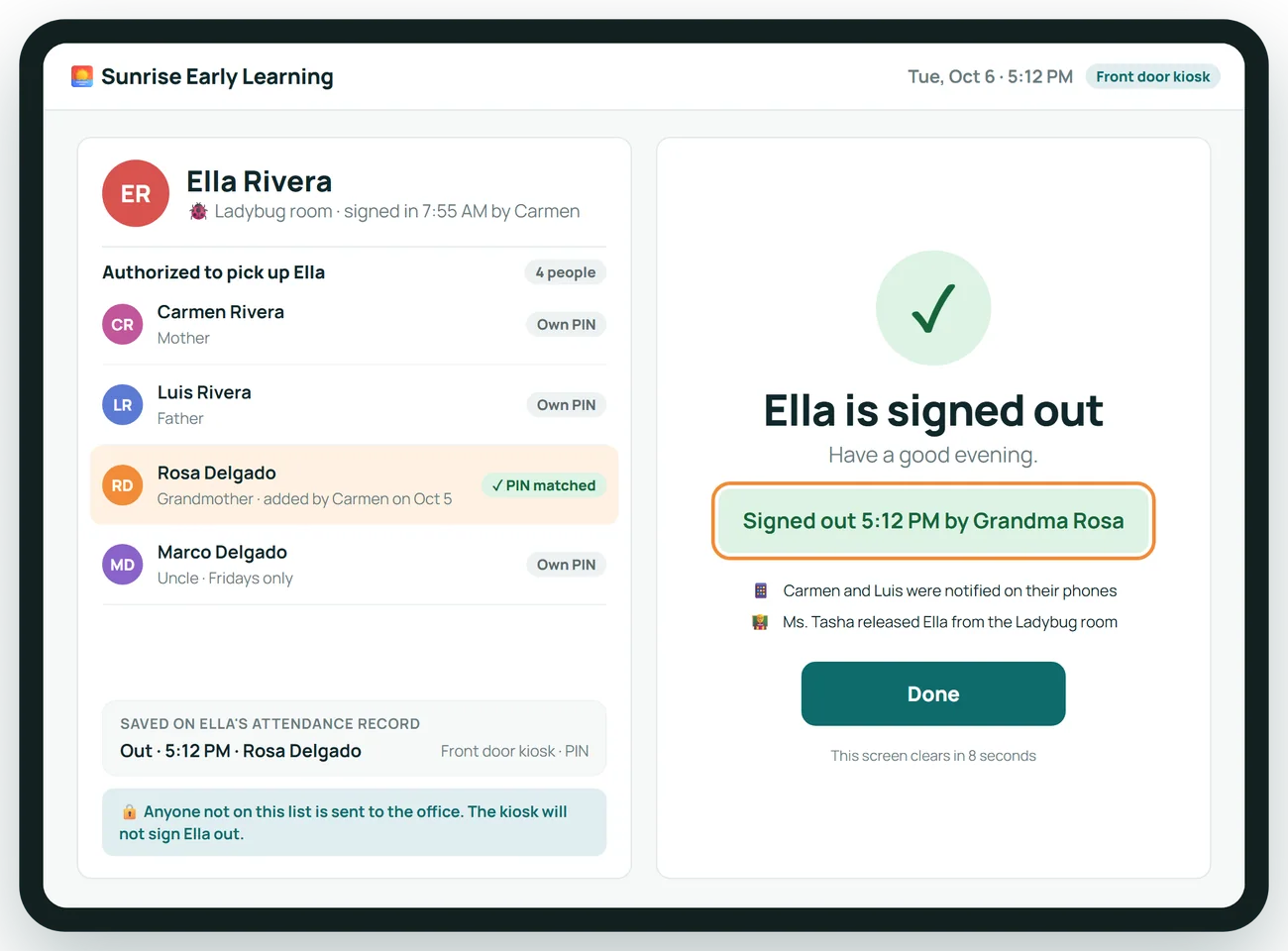
Only people on the authorized list can sign a child out, and the record shows who did.
Staff
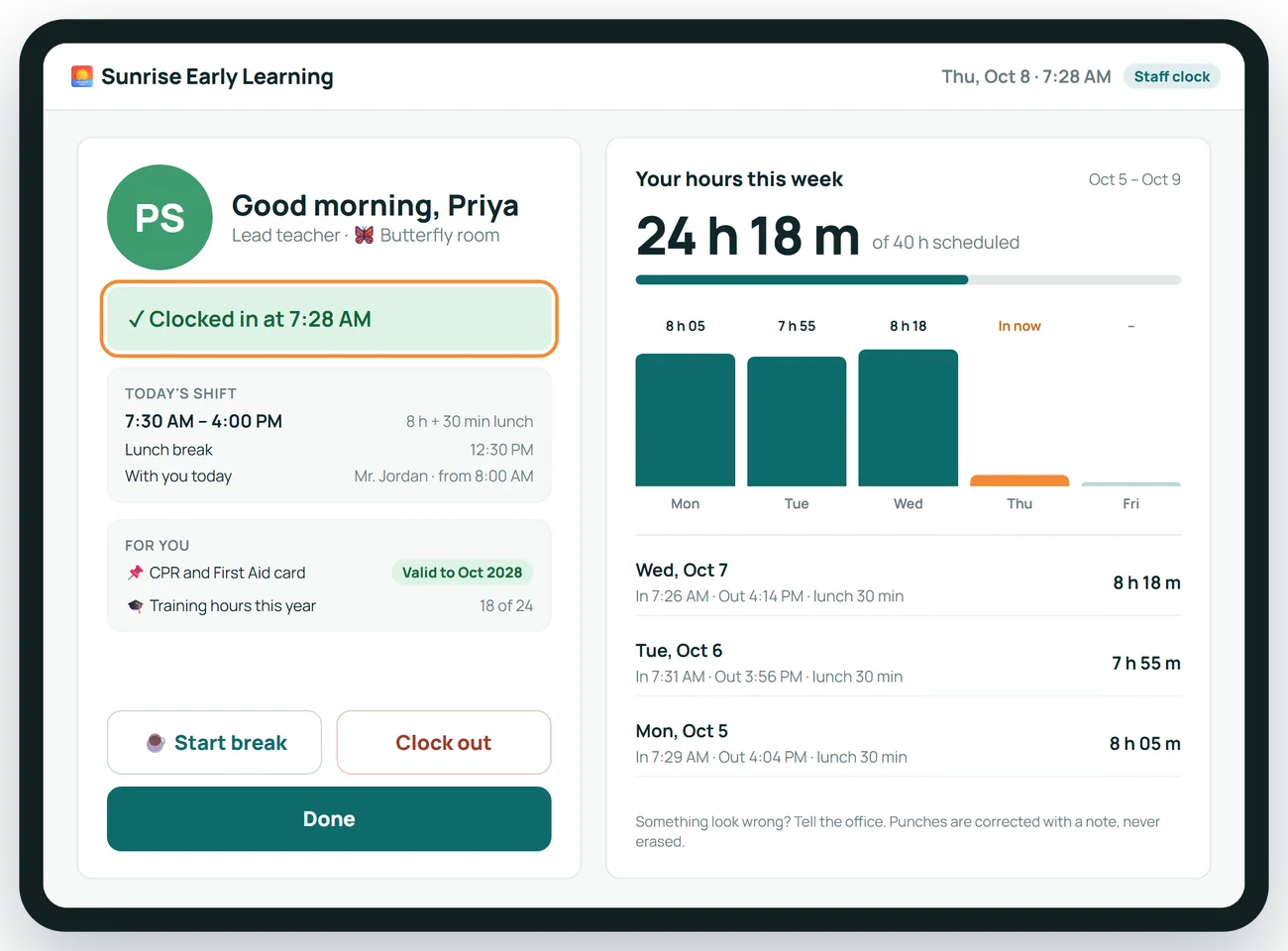
Clock in and out on the same tablet, with hours for the week.
Attendance Kiosk in 6 screens
A front door that never has a line
Parents sign children in and out on a tablet you already own, with a private PIN or the QR pass on their phone.
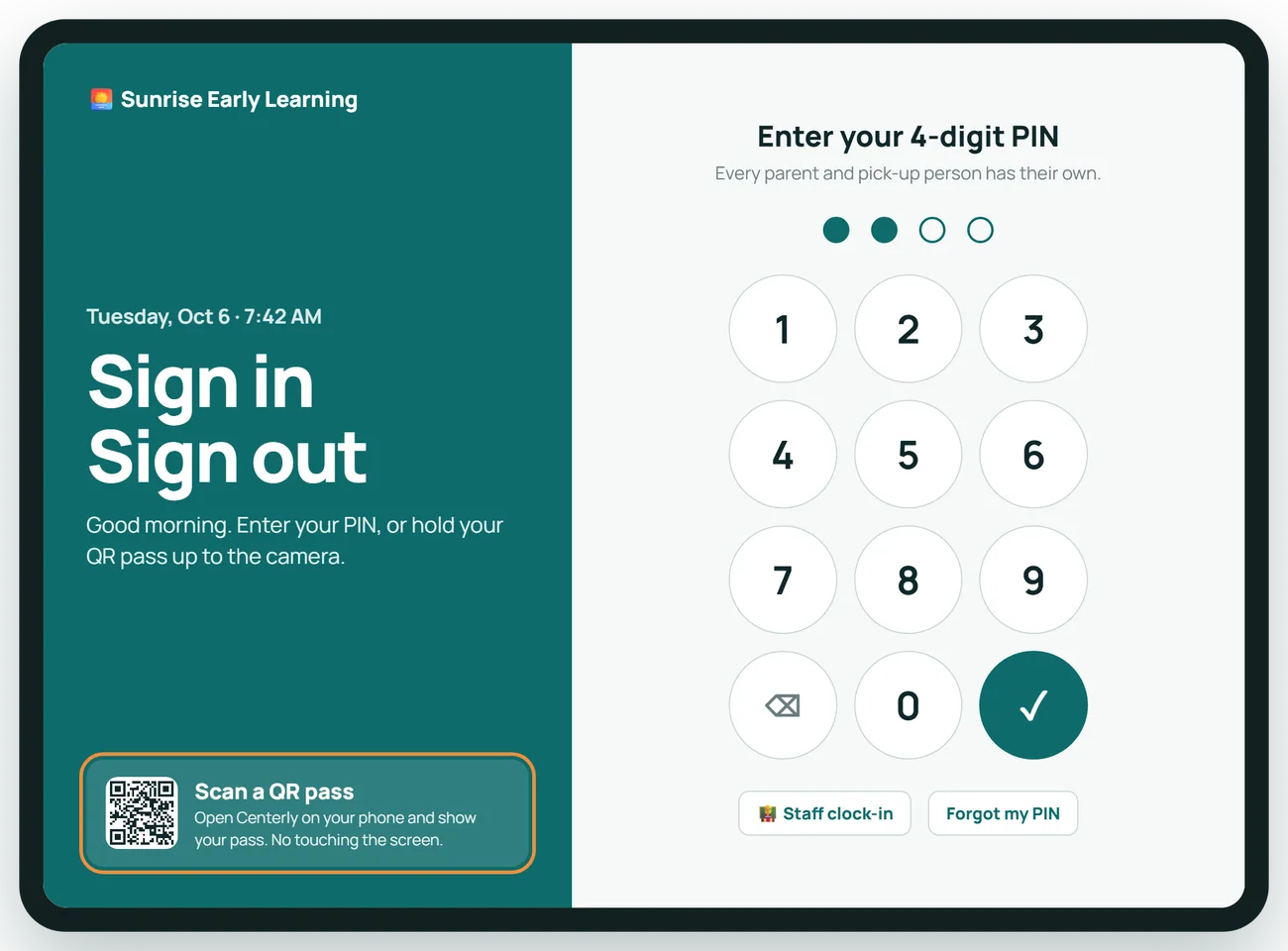
Two children, two taps
A parent sees only their own children, answers one health question, and is on the way to work.
Only the right people can pick up
The kiosk shows who is authorized for each child and records exactly who signed out, and when.
Staff clock in on the same tablet
Teachers punch in with their own PIN and see their hours for the week. No second system, no paper timesheet.
The office sees the whole day
Late arrivals and missed sign-outs are fixed with a time and a note. A wrong mark is voided and kept, never deleted.
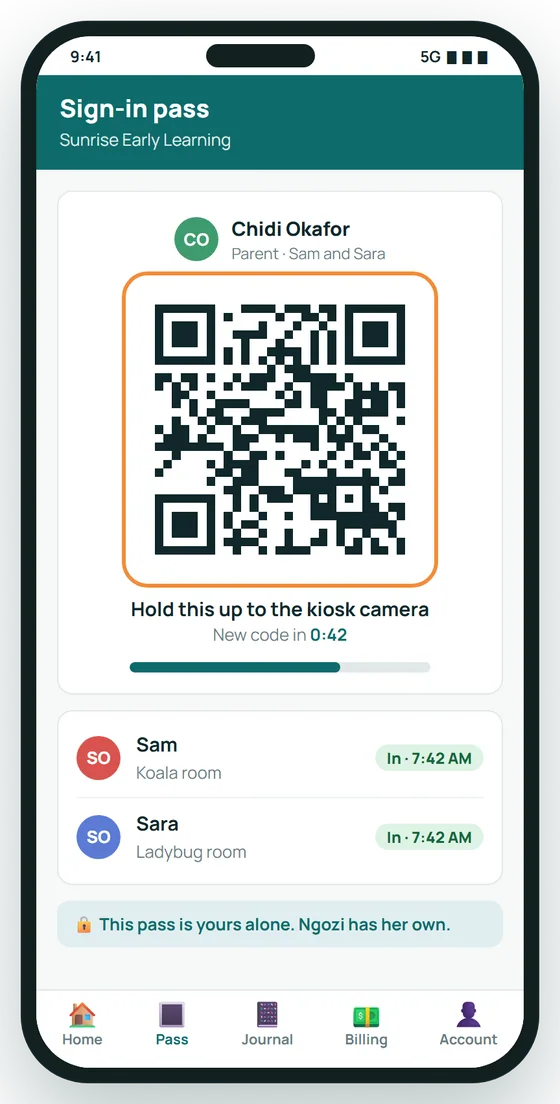
A QR pass on every parent's phone
Contactless sign-in: hold the pass up to the kiosk and walk in. The code refreshes itself, so a screenshot will not work.
About Attendance Kiosk
What hardware do we need?
Any tablet with a modern browser. No card readers or fingerprint pads.
How do parents sign in?
With a PIN, or by showing a QR pass on their phone.
What if someone forgets to sign out?
The office adds the missed mark with the time and a note. The record shows it was added afterwards and by whom.
Can a mark be deleted?
No. A wrong mark is voided and kept, so the history is complete.
Does it need internet?
Yes. Keep a paper sheet for an outage and enter the times afterwards.
Related features
Classroom
A tablet in every room: daily reports, photos and ratios without the clipboard.
See it →RecordsFamily Records
Every child, family and staff member in one place, with a history you can trust.
See it →ComplianceLicensing and Compliance
Know what an inspector would find, before the inspector does.
See it →See Attendance Kiosk with your own center in mind
A 30-minute call, shaped around how your center runs today.