
Features / Classroom
Classroom
A tablet in every room: daily reports, photos and ratios without the clipboard.
What it does
- Meals, naps, diapers and activities in a few taps
- Photos and notes sent to the right families
- Live room counts and ratio alerts
- Incident reports started in the classroom
6 screens in about 25 seconds. No sound needed.
Why it matters
Teachers should be with children, not writing the same lunch note eleven times.
A tablet in the room records the day in a few taps and sends the right update to the right family.
In practice
See the room
Who is here, who is not, and the ratio, at a glance.
Log the day
Meals, naps and diapers for one child or the whole room in a few taps.
Tell the family
Photos, notes and daily reports go to the right parents.
Classroom in 6 screens
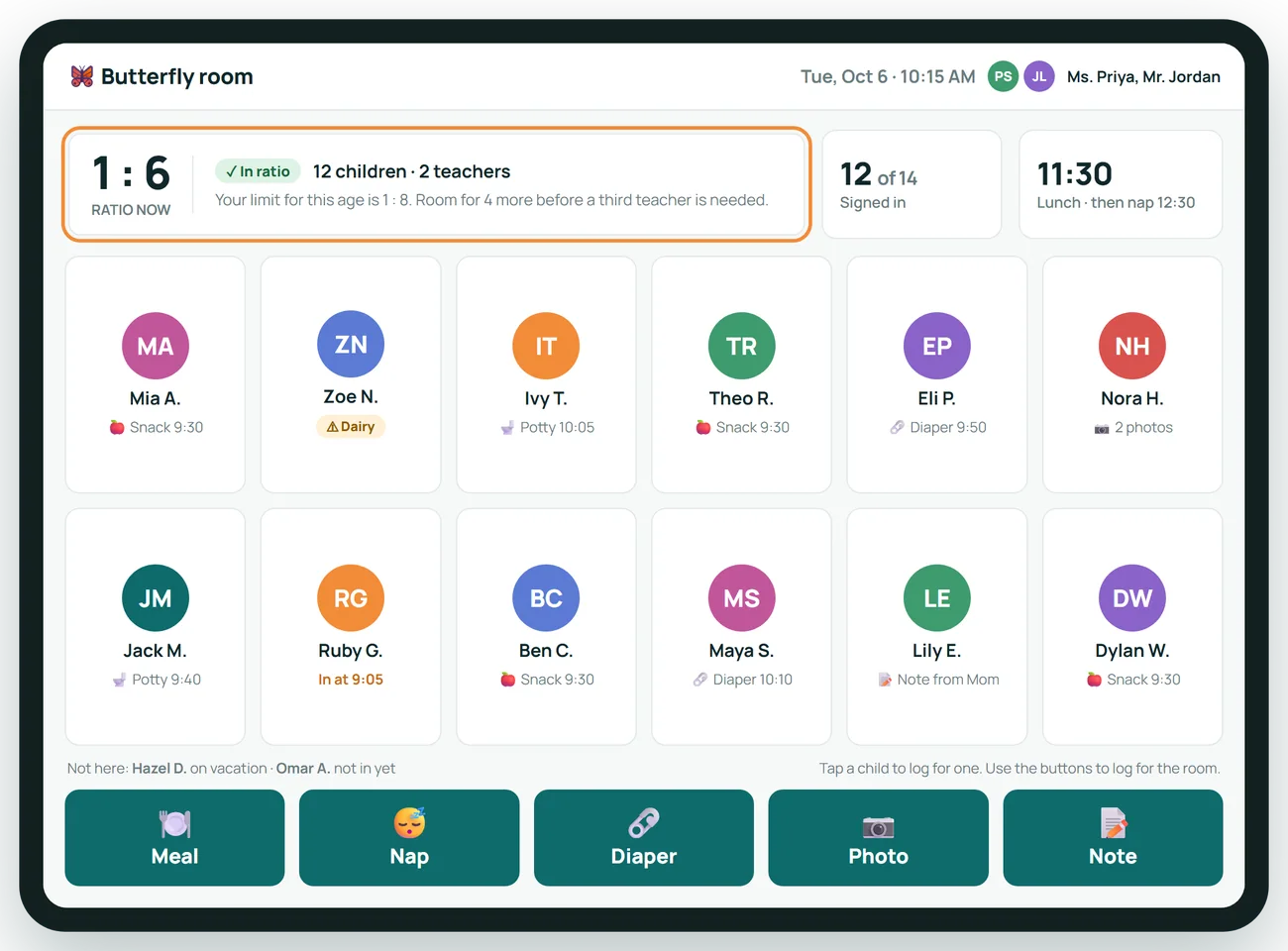
The whole room on one screen
Teachers see who is here, whether the room is in ratio, and log the day with five large buttons.
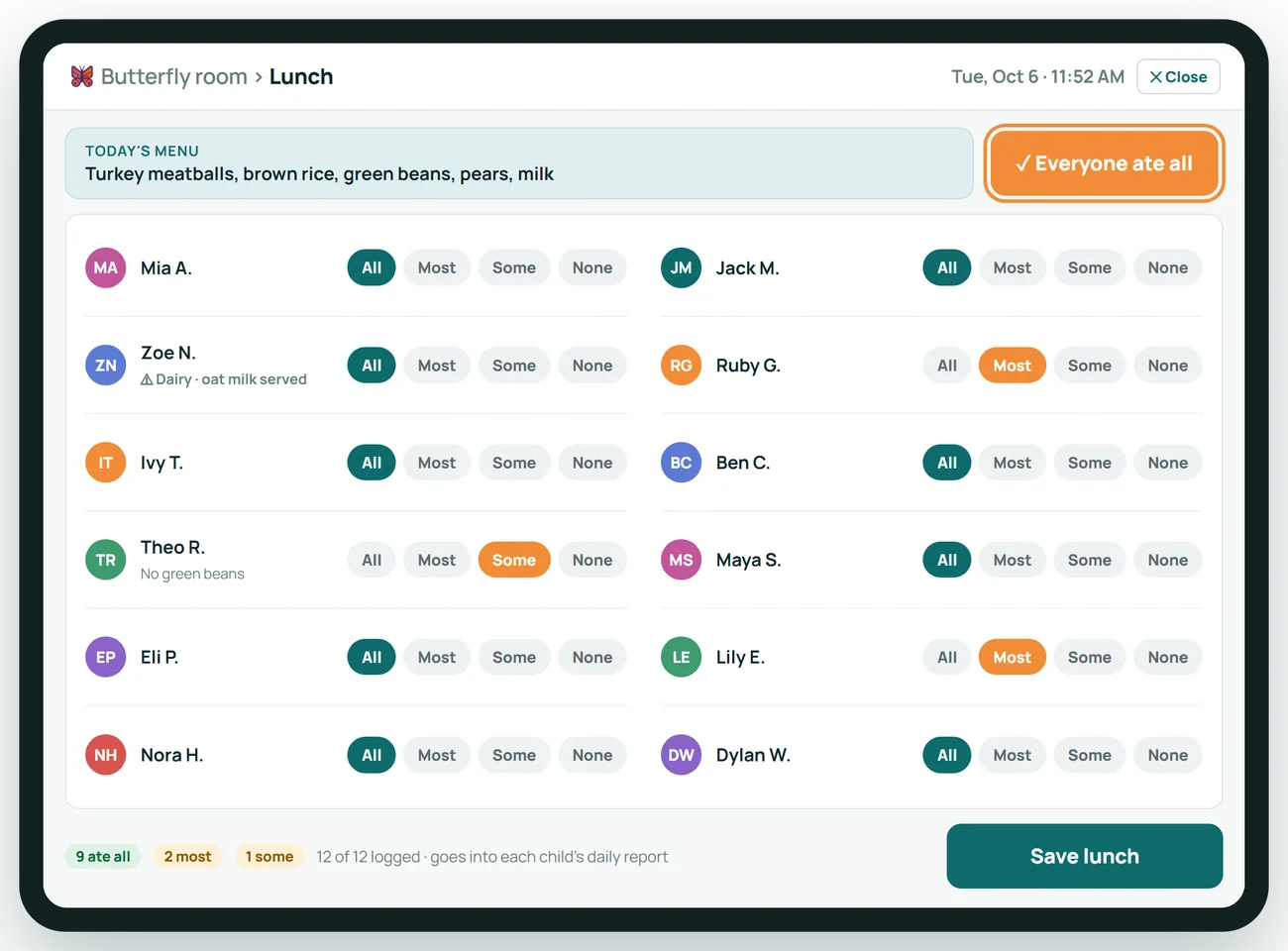
Lunch for twelve, logged in seconds
Mark the whole room at once, then adjust the two or three who ate less. Allergy swaps show up on their own.
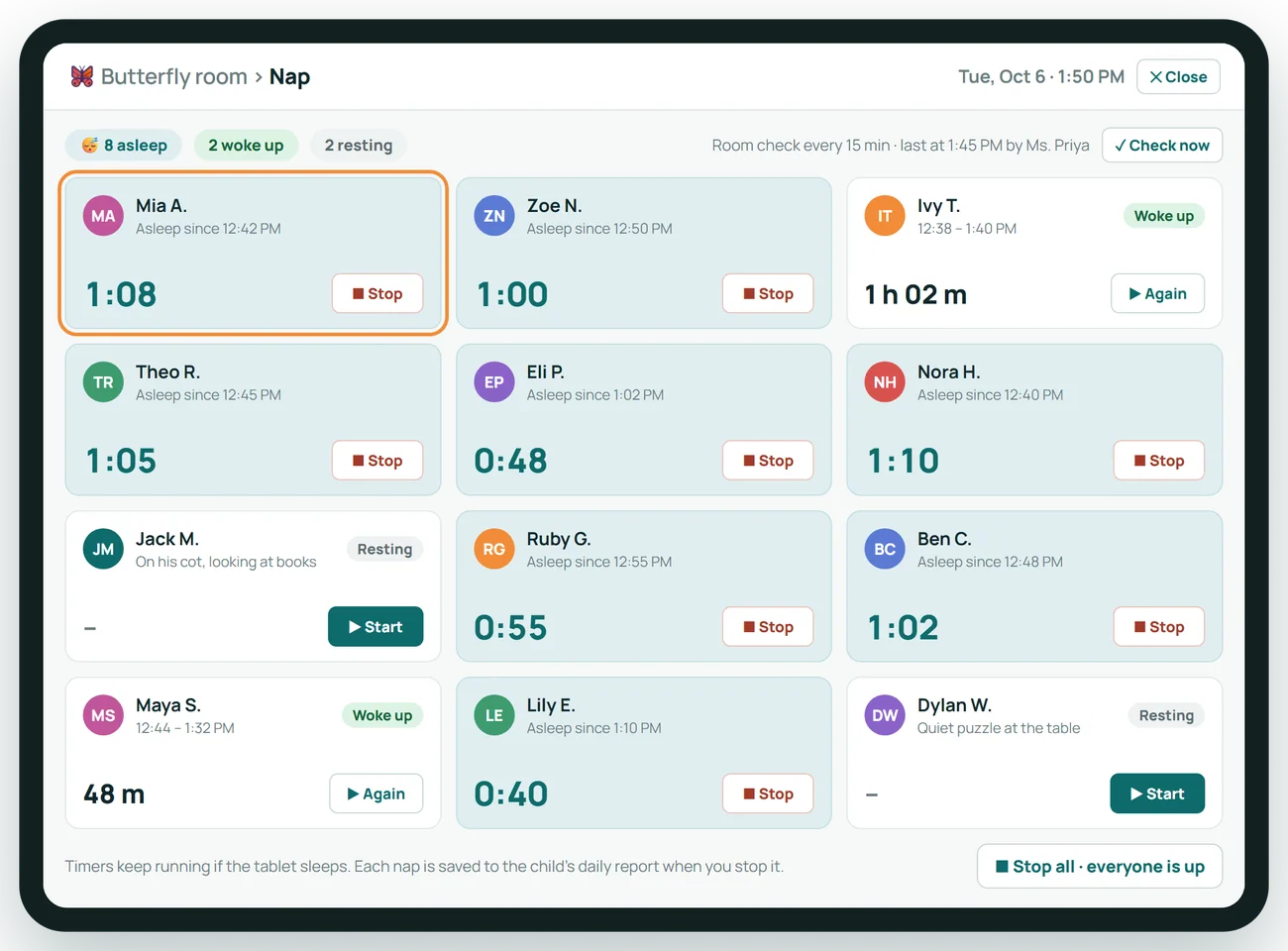
Nap time, timed for you
Start and stop a timer for each child. Sleep totals land in the daily report without anyone writing them down.
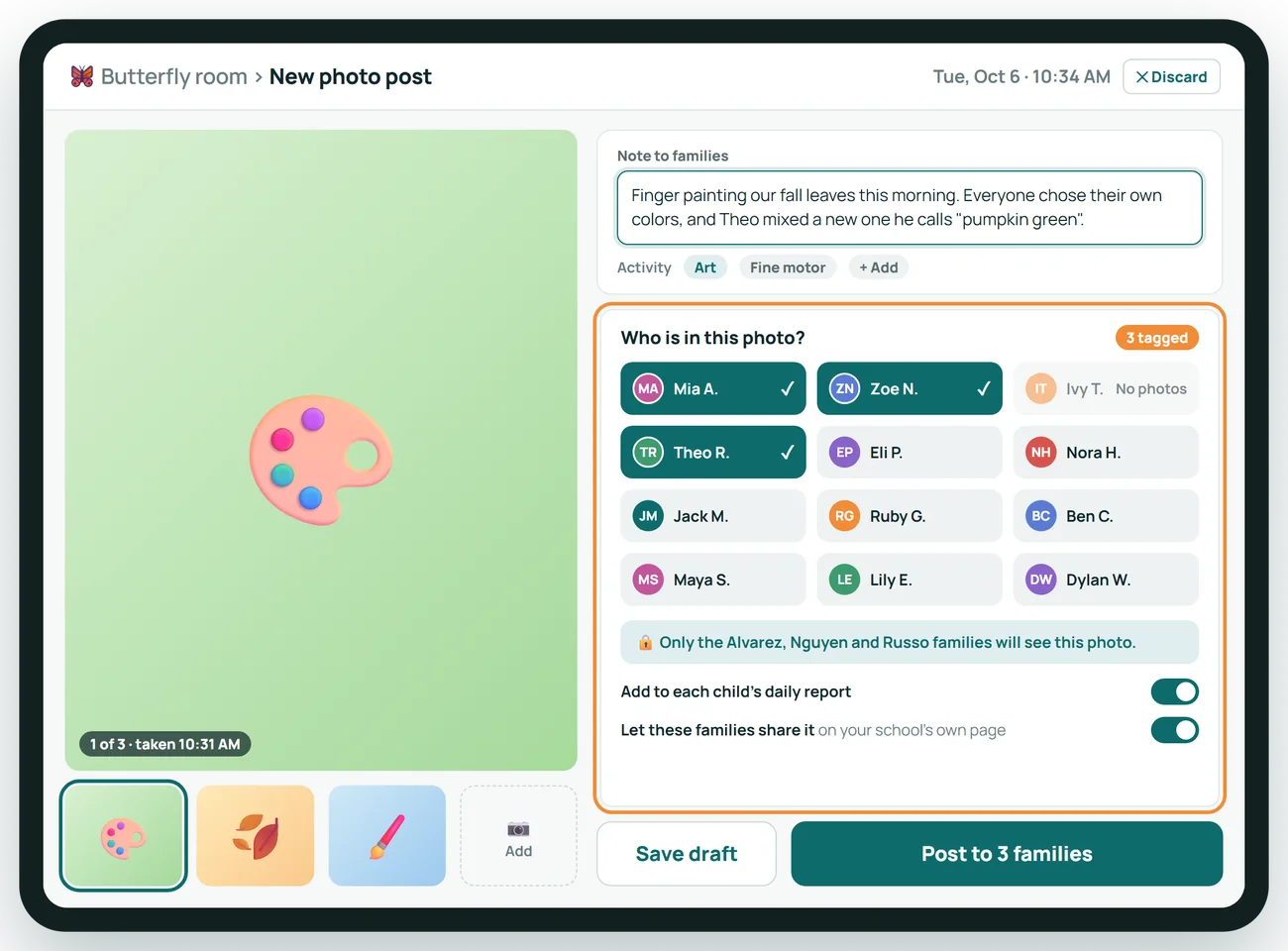
Photos reach the right families
Tag the children in the picture and only their parents see it. One post, no group texts.
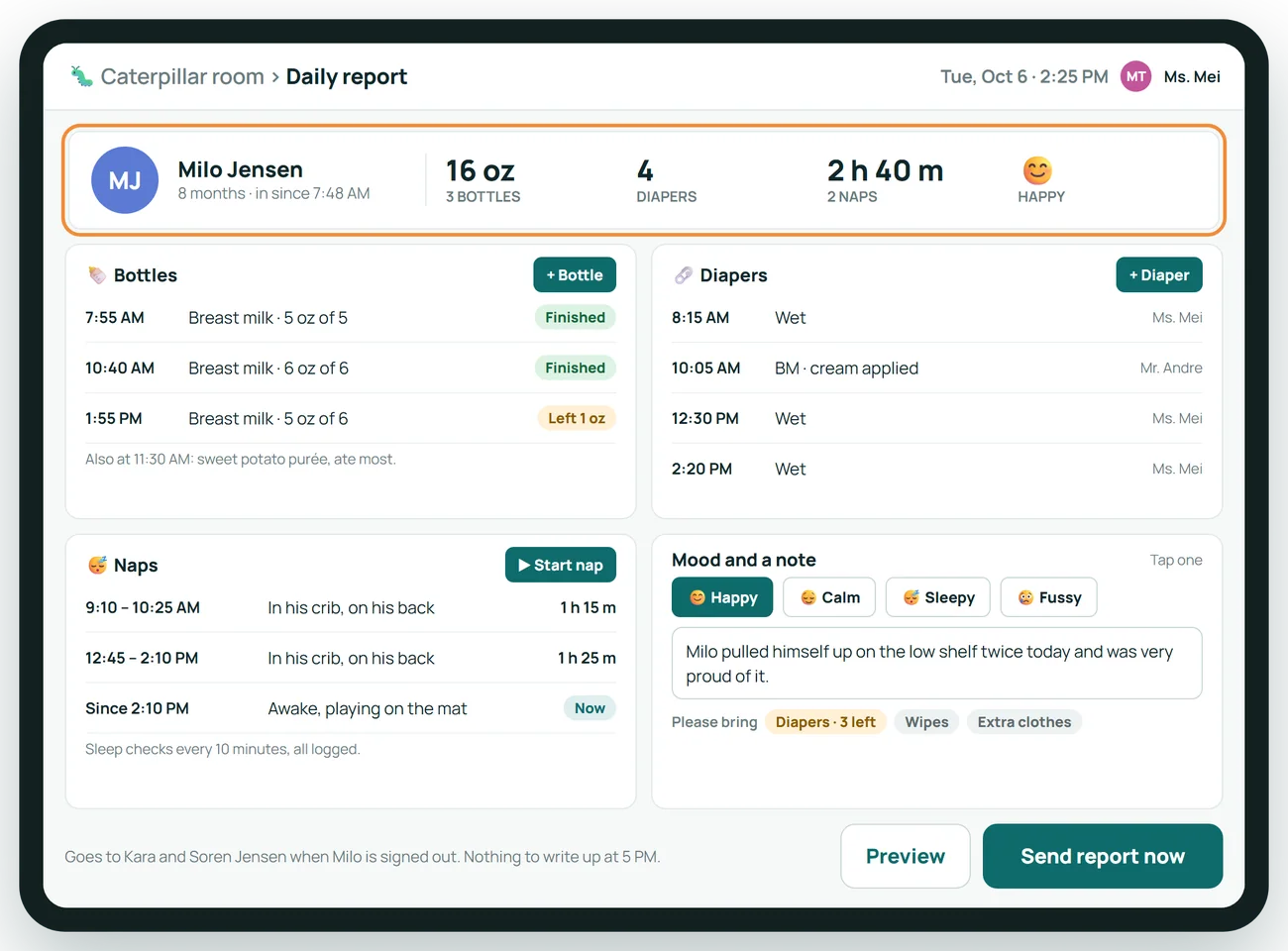
Infant daily reports build themselves
Every bottle, diaper and nap a teacher logs lands in the report. At pick-up it is already written.
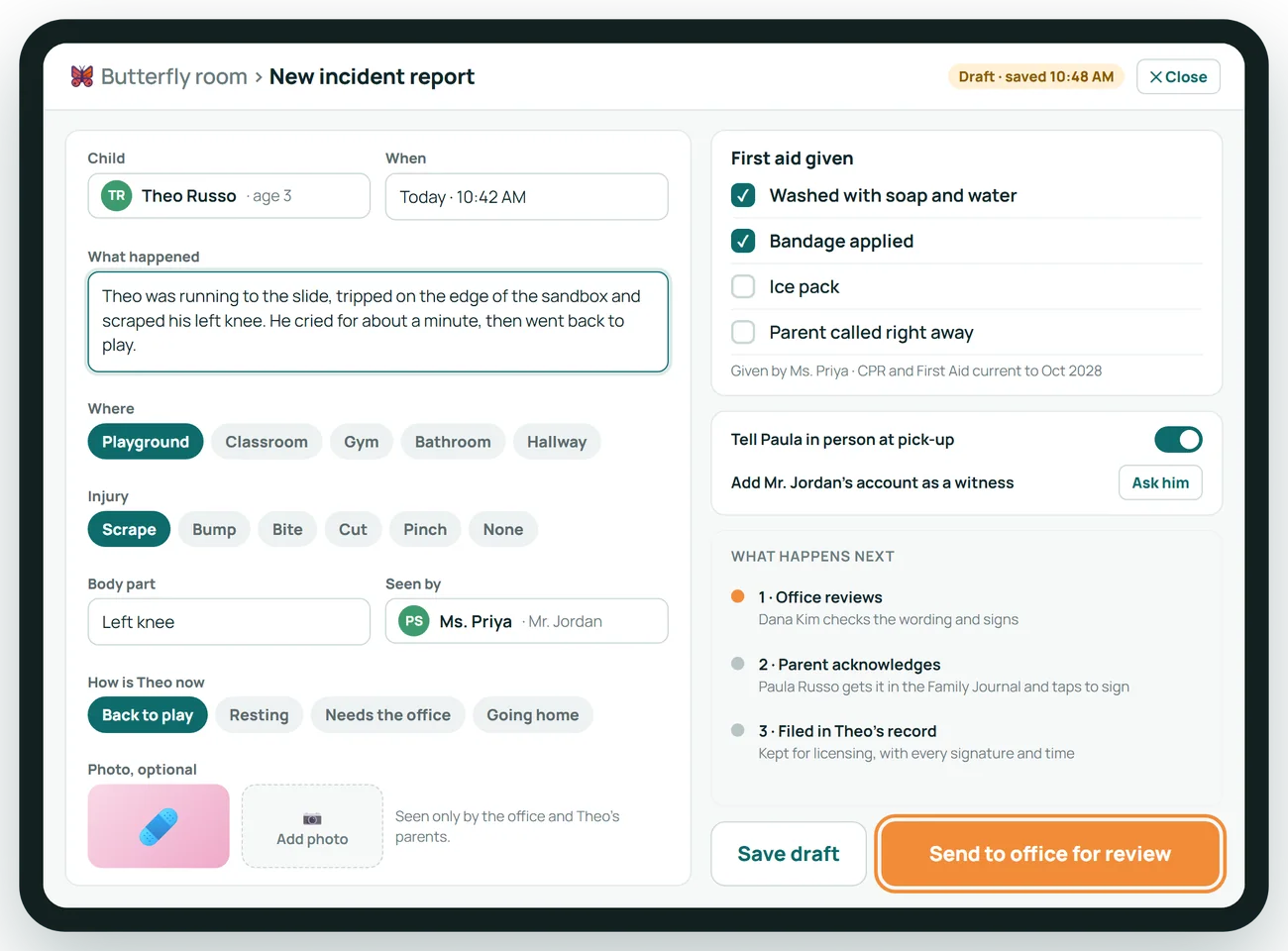
Incident reports start in the classroom
The teacher records what happened while it is fresh. The office reviews it before it goes to the parent.
About Classroom
What device do teachers use?
Any tablet with a modern browser.
Can a teacher log something for the whole room at once?
Yes. Meals and naps can be logged for everyone and adjusted for the exceptions.
Do photos go out immediately?
Your center decides. Posts can go straight to families or wait for office approval.
Related features
Family Journal
The parent app families actually open: photos, daily reports and messages.
See it →AttendanceAttendance Kiosk
Sign-in and sign-out on tablets you already own.
See it →ComplianceLicensing and Compliance
Know what an inspector would find, before the inspector does.
See it →See Classroom with your own center in mind
A 30-minute call, shaped around how your center runs today.