
Features / Staff Onboarding and HR
Staff Onboarding and HR
From application to first day, with every document tracked.
What it does
- Online application and offer letter
- W-4, I-9 and direct deposit completed online
- Role-based document checklists
- Training hours and certificates in one record
6 screens in about 25 seconds. No sound needed.
Why it matters
Hiring a teacher means an application, an offer, tax and employment forms, a background check, training records and a stack of policies, each with its own deadline.
Centerly puts the whole sequence online and tracks every document for each role until the file is complete.
In practice
Apply
A candidate completes the application on a phone.
Onboard
Offer letter, W-4, I-9, direct deposit and policies are completed online, with a checklist for the role.
Stay current
Training hours, certificates and renewals are tracked from then on.
Staff Onboarding and HR in 6 screens
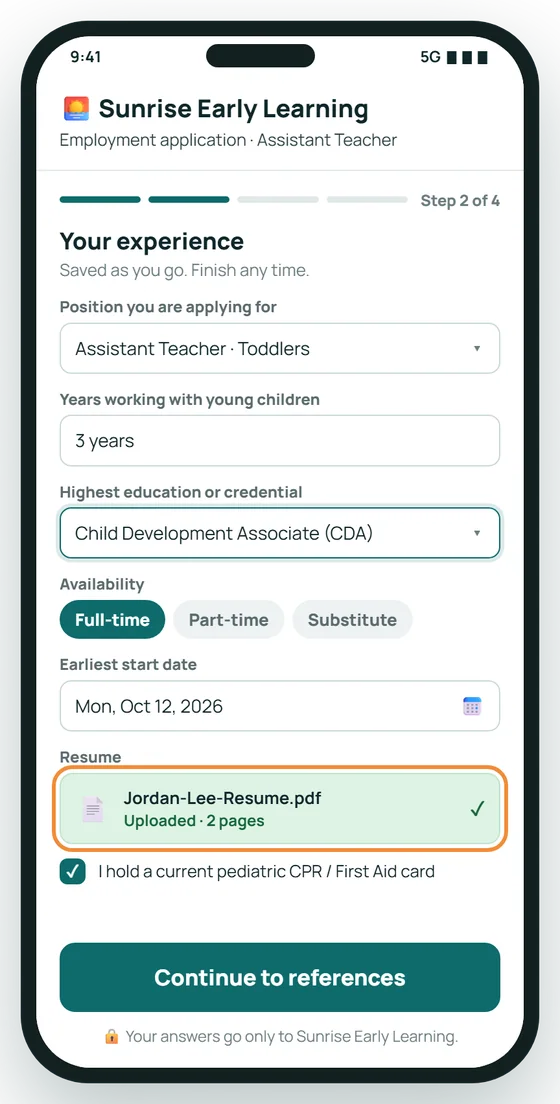
Apply from a phone, in minutes
Candidates fill in your employment application online. Answers and the resume arrive in your office, ready to review.
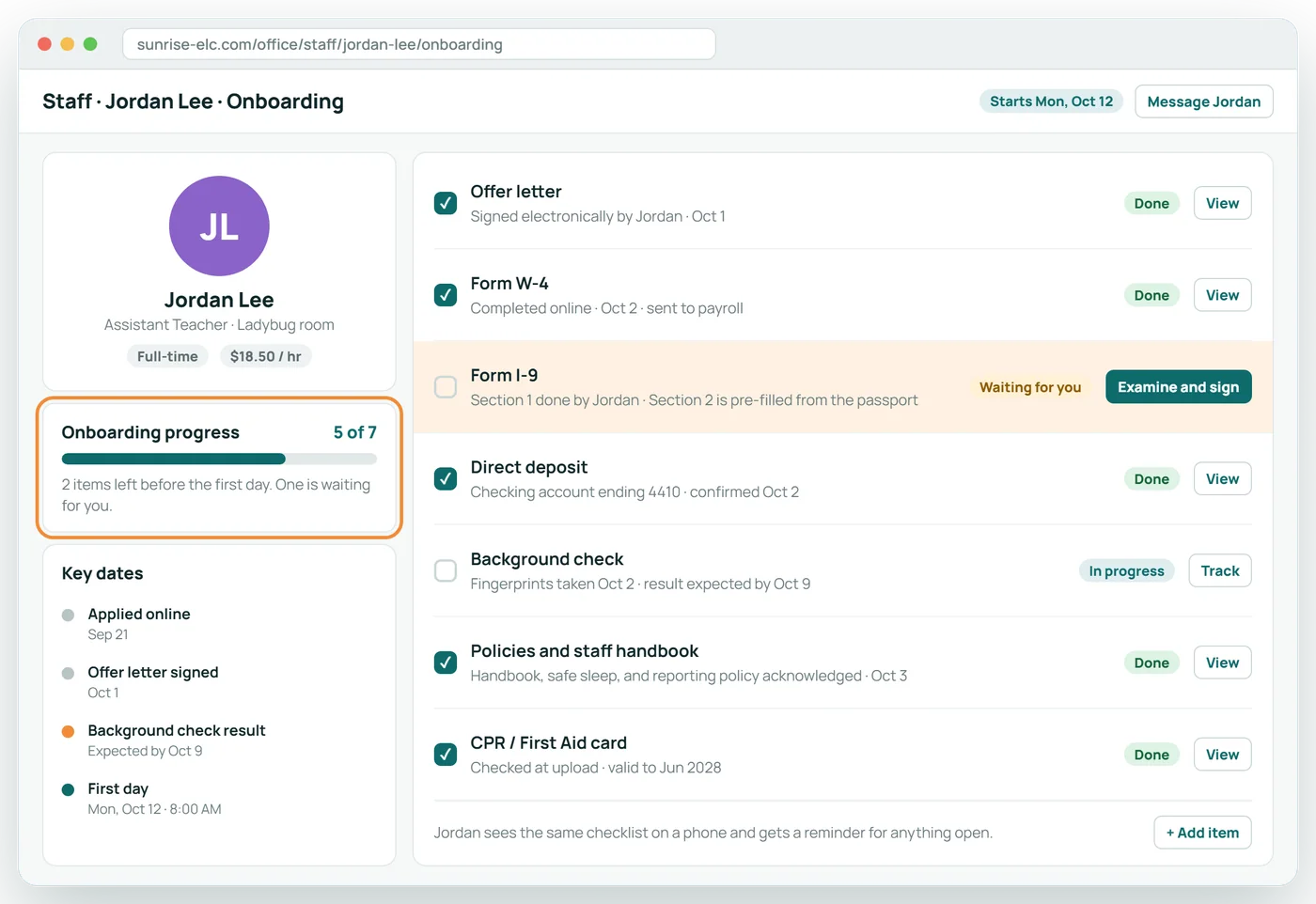
One checklist for every new hire
Offer letter, W-4, I-9, direct deposit, background check and policies in one place, so you can see what is done and what is still open.
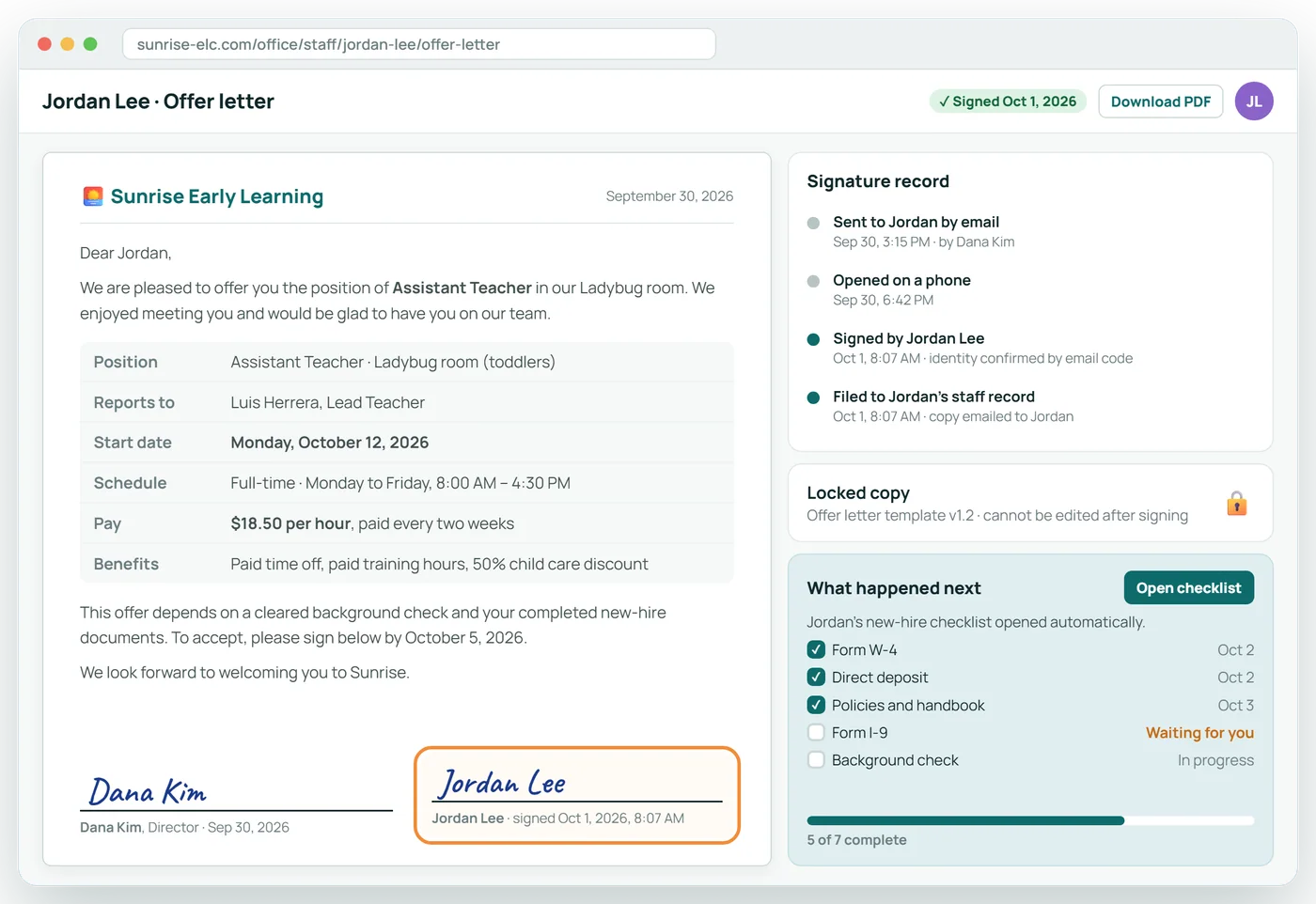
Offer letters, signed online
Send the offer from your office and get it back signed, dated and filed to the employee's record. Nothing to print or scan.
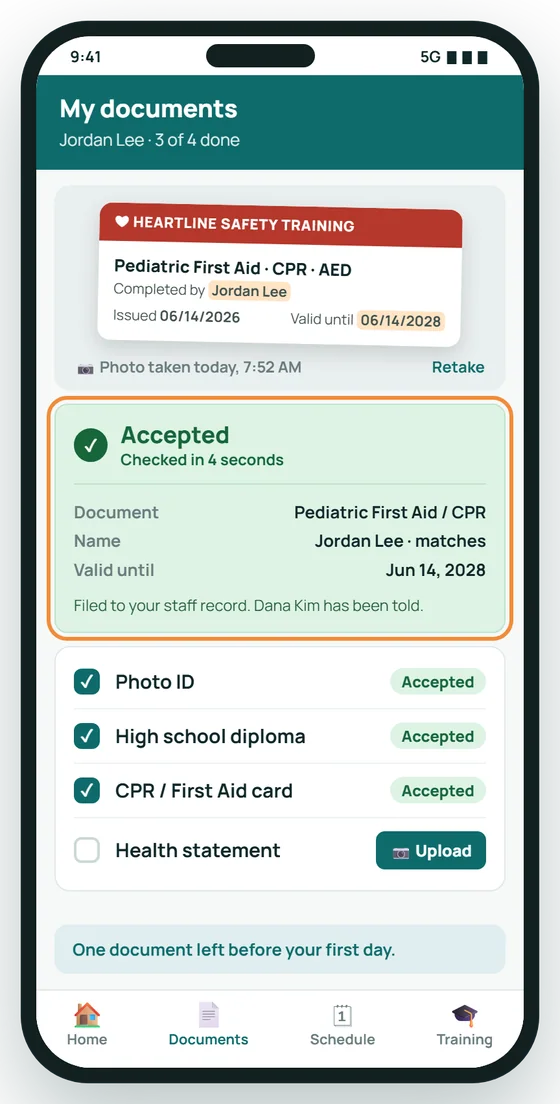
Snap a photo. Accepted on the spot.
New hires upload documents from their phone. Each one is read and checked in seconds, so nobody waits on the office to find out.
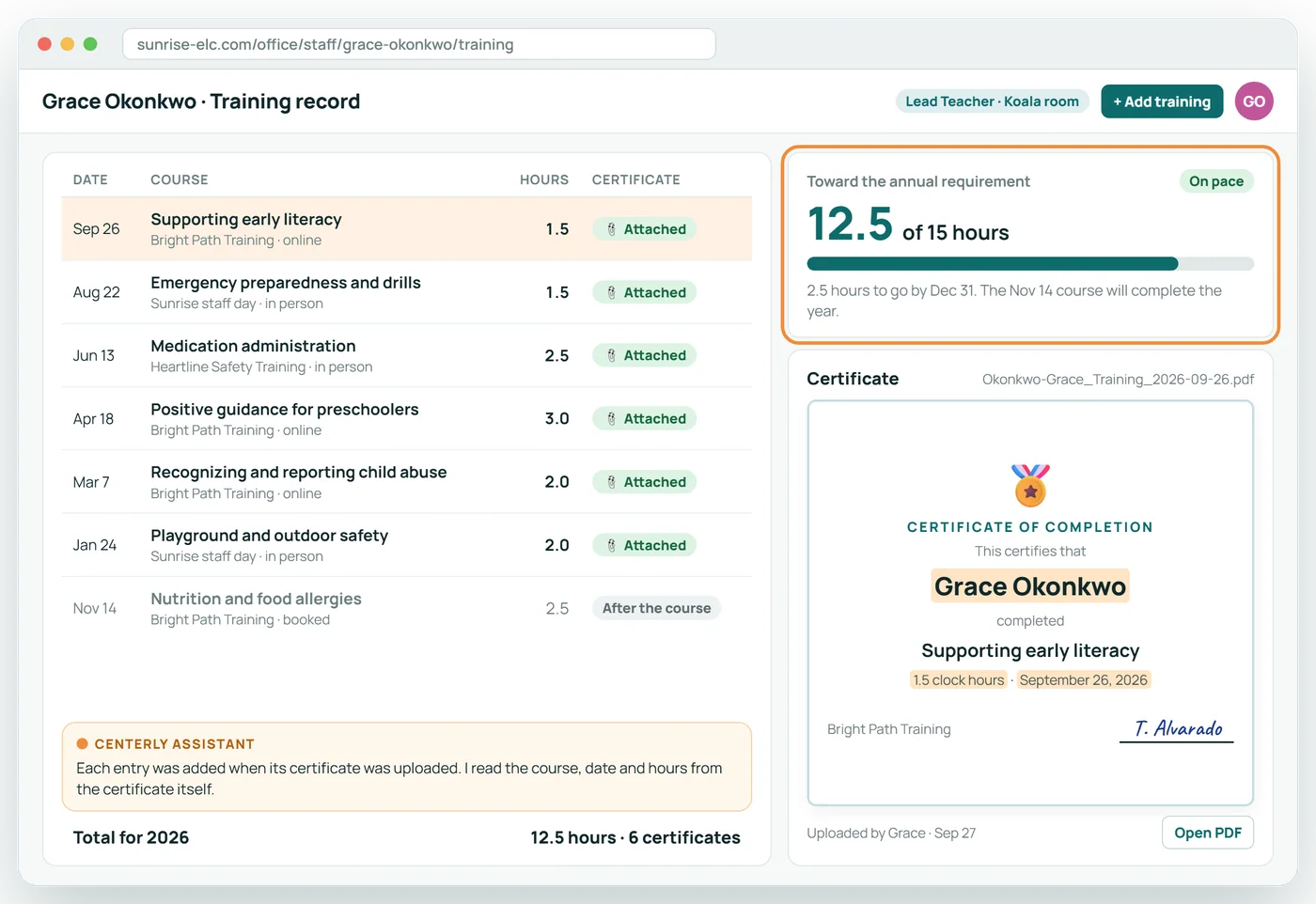
Training hours and certificates together
Every course is logged with its hours and its certificate attached, and counted toward the annual requirement automatically.
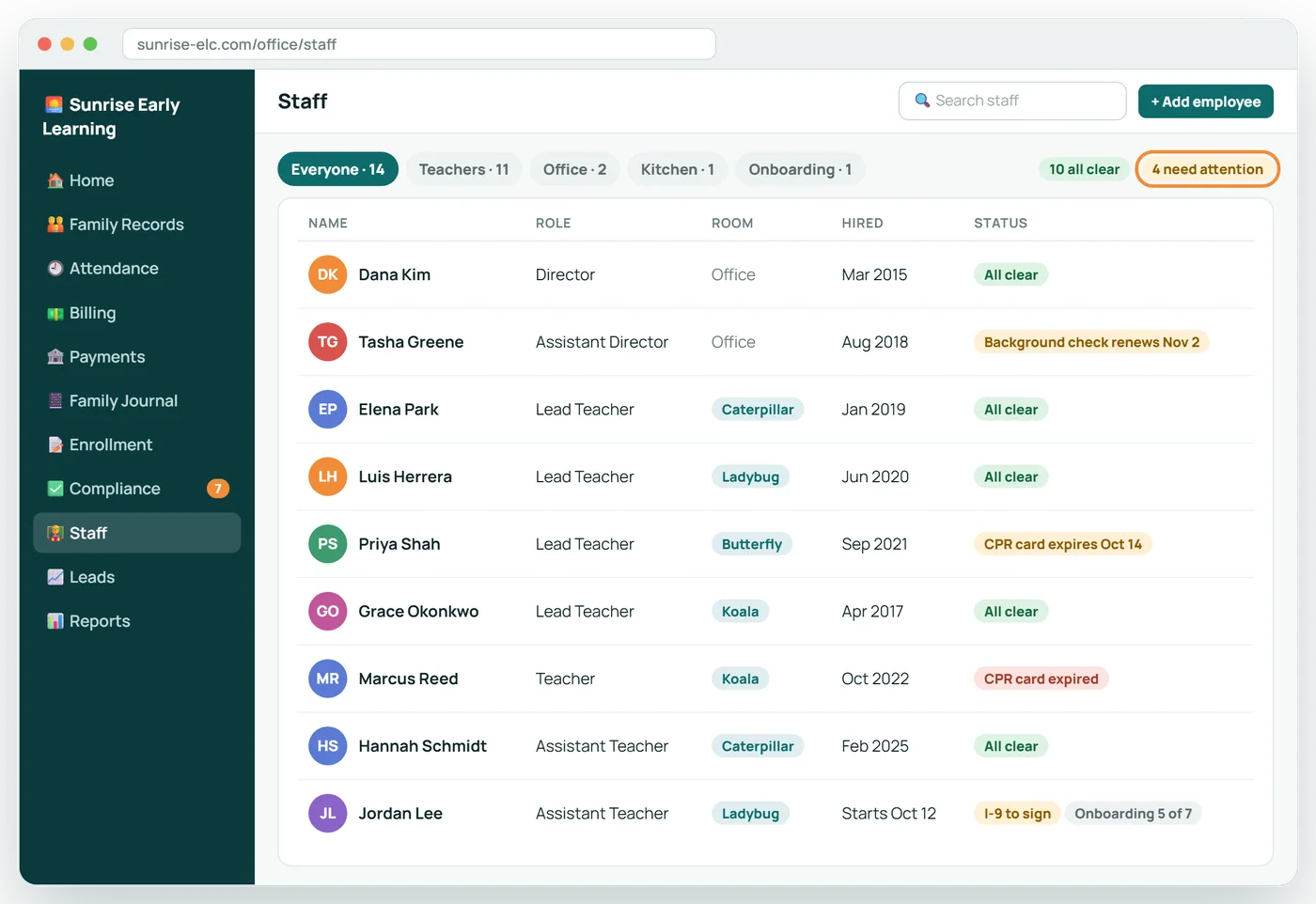
Your whole team at a glance
Role, room and hire date for everyone on staff, with a clear flag on anyone who has a document missing or about to expire.
The new-hire checklist
| Step | Who does it | What Centerly checks |
|---|---|---|
| Application | Candidate | Complete, with qualifications for the role |
| Offer letter | Director sends, candidate signs | Signed and dated |
| W-4 | Employee, then employer signature | Both signatures present |
| I-9 | Employee uploads ID; employer examines the original and signs | ID not expired; Section 2 certified by a person |
| Direct deposit | Employee | Account details complete |
| Background check | Office records the result | Cleared; renewal date set |
| Affidavit, CPR, health statement | Employee uploads | Right document, every page, not expired |
| Policies and orientation | Employee signs | Each acknowledgment on file |
About Staff Onboarding and HR
Which forms are covered?
Application, offer letter, W-4, I-9, direct deposit, policy acknowledgments, and the documents your state requires for the role.
Does Centerly complete the I-9 for us?
It pre-fills document details from the uploaded ID. A person at the center must still examine the original document and sign Section 2.
Is it a payroll system?
No. Staff hours are recorded for use with your payroll provider.
How are training hours tracked?
Each course is recorded with its date, hours and certificate. Hours count toward the annual requirement only with the certificate attached.
Related features
Licensing and Compliance
Know what an inspector would find, before the inspector does.
See it →Inspection dayWhen Licensing Visits
The inspector picks a few children and employees. Every file is already complete.
See it →AI assistant for your staffCenterly Assistant
An AI assistant that reads the paperwork, files it, and tells your office what is missing.
See it →See Staff Onboarding and HR with your own center in mind
A 30-minute call, shaped around how your center runs today.