
Features / Family Journal
Family Journal
The parent app families actually open: photos, daily reports and messages.
What it does
- Classroom posts, photos and videos
- Infant and toddler daily reports
- Incident reports parents acknowledge with one tap
- Moments parents can share with family, on your school's own page
7 screens in about 30 seconds. No sound needed.
Why it matters
Parents judge a center every day by what reaches their phone: a photo at nap time, a note about lunch, a quick word about a bumped knee.
The Family Journal makes that easy for teachers and pleasant for parents, and lets a parent share a proud moment with grandparents on a page that carries your school's name.
In practice
Teachers post
A photo, a note or a daily report, tagged to the children in it, from the classroom tablet.
Parents see
One feed for each family, with folders for photos, reports and notices, and a dot on anything new.
Families share
A parent can pass a moment on to grandparents as a page on your school's own web address.
Family Journal in 7 screens
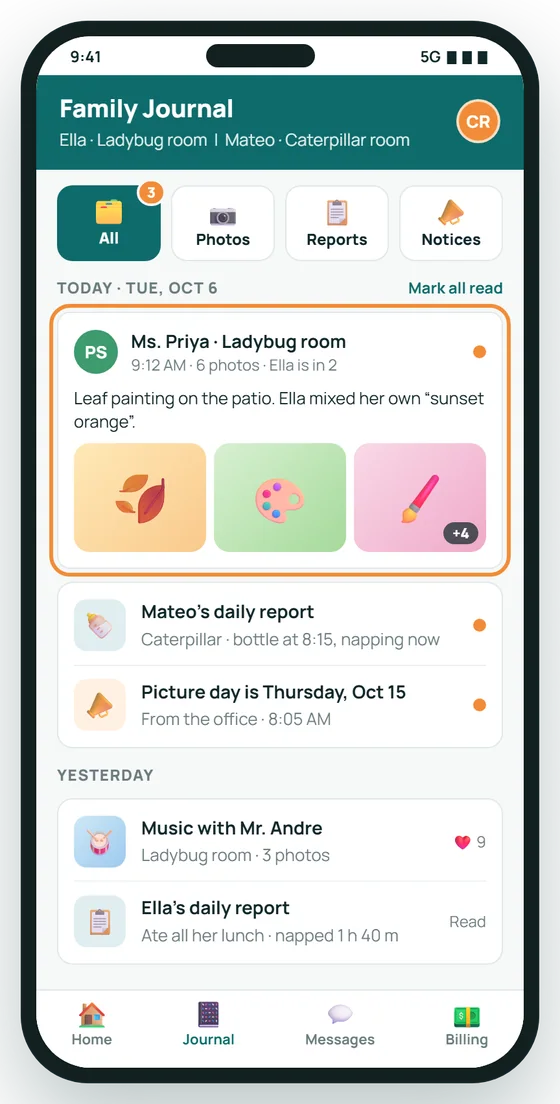
A feed families open every day
Photos, daily reports and notices from the classroom land in one calm feed, sorted into folders, with a dot on anything new.
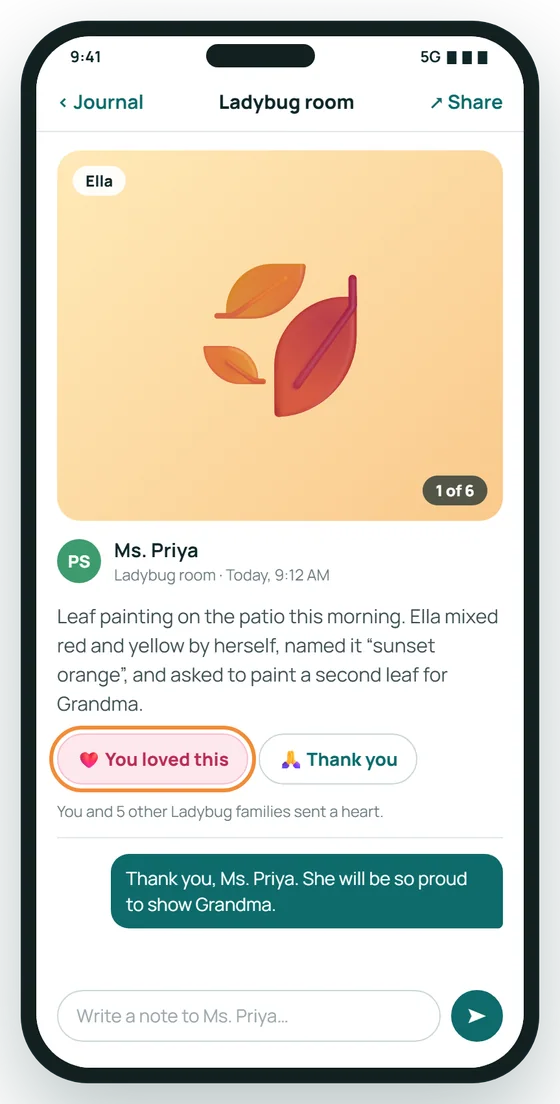
Every moment comes with its story
A big photo, the teacher's note about what happened, and a one-tap heart or thank-you that goes straight back to the classroom.
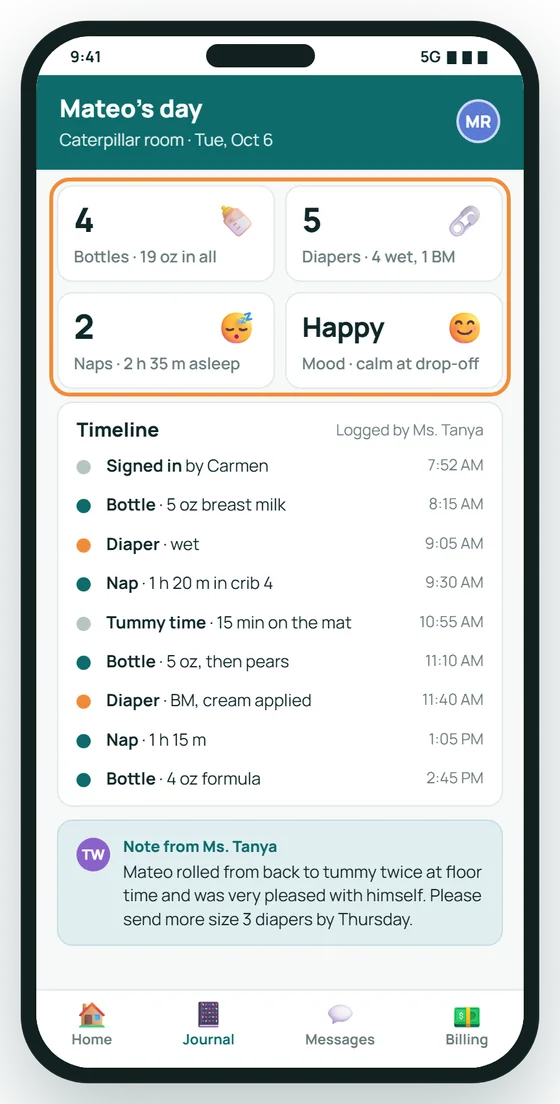
The infant day, hour by hour
Bottles, diapers, naps and mood are logged by the teacher as they happen, so parents never have to ask how the day went.
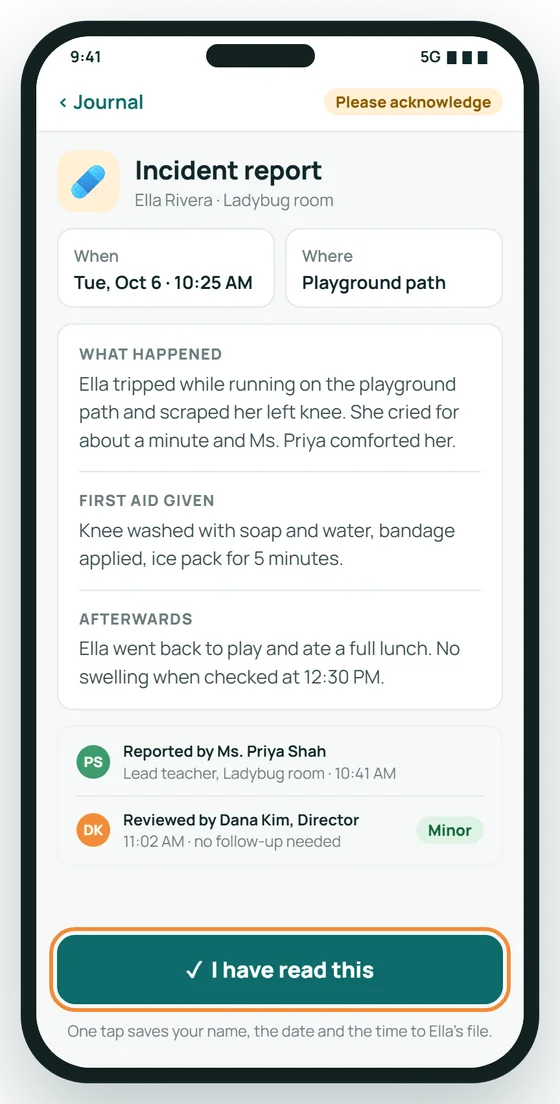
One-tap incident acknowledgment
Parents read what happened and what first aid was given, then acknowledge it. The time-stamped record goes to the child's file.
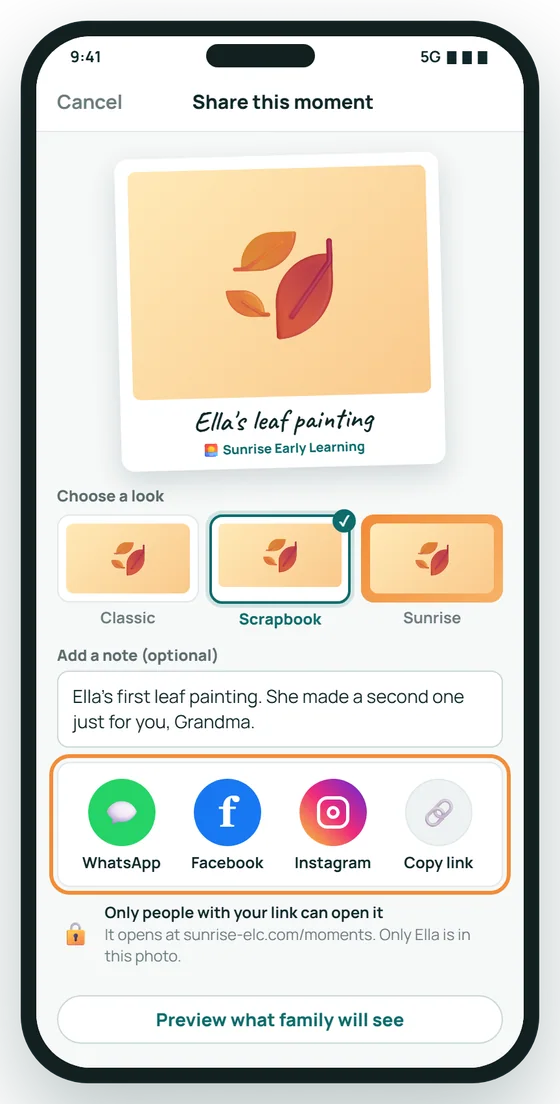
Parents share the moments they love
One tap sends a moment to WhatsApp, Facebook or Instagram, with a choice of look and a note in the parent's own words.
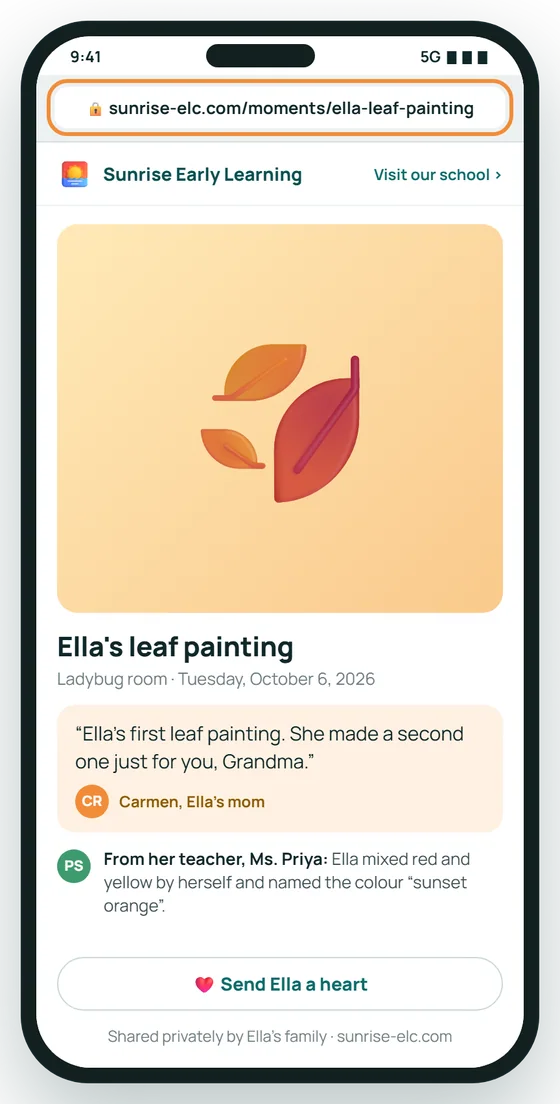
Grandma sees it on your school's page
Shared moments open on your own web address, under your logo, so every share quietly introduces your school to another family.
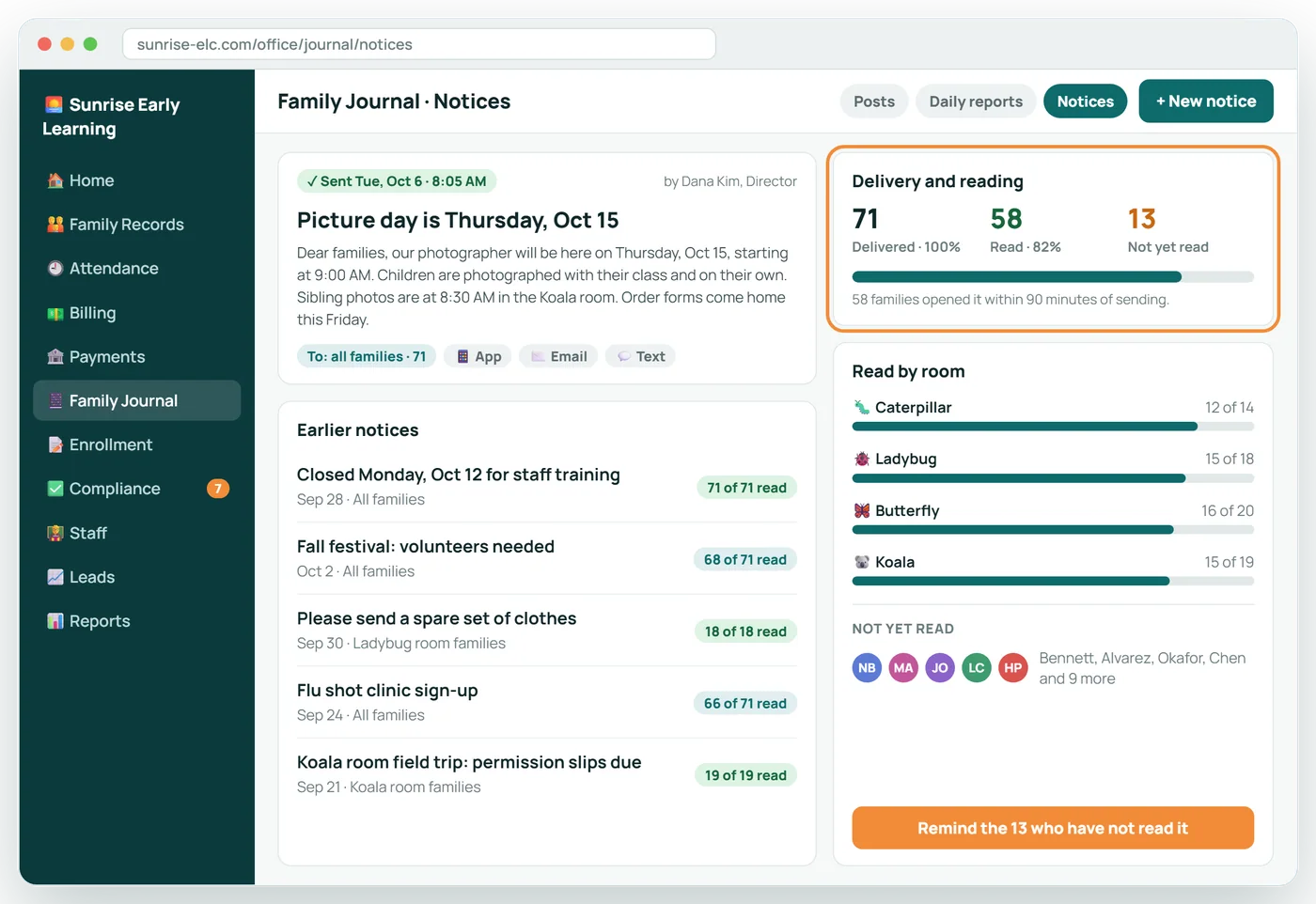
Send a notice. See who has read it.
The office sends one notice to every family by app, email and text, then sees delivery and read counts room by room.
About Family Journal
Do parents need to install an app?
No. The journal opens from a link and can be added to the home screen so it behaves like an app.
Who sees a photo?
Only the families of the children tagged in it.
What is a shared moment?
A parent can share a moment of their own child with family as a simple page on your school's web address. It is the parent's choice, for their own child.
How are incident reports handled?
The teacher starts the report, the office reviews it, and the parent acknowledges it with one tap. The acknowledgment is kept on the child's file.
Related features
Classroom
A tablet in every room: daily reports, photos and ratios without the clipboard.
See it →For familiesParent Portal
Parents keep their own details current, so your office does not have to.
See it →Enrollment and e-signaturesOnline Enrollment
The whole enrollment packet, filled in and signed online.
See it →See Family Journal with your own center in mind
A 30-minute call, shaped around how your center runs today.