
What it does
- Revenue collected, outstanding and forecast
- Occupancy by classroom, with open spots
- Enrollment trends and withdrawal reasons
- Reports ready for your accountant
6 screens in about 25 seconds. No sound needed.
Why it matters
An owner needs a handful of numbers to know whether a center is healthy: what was billed, what was collected, how full the rooms are and what is coming.
The owner dashboard puts those on one screen, from the same records the office works in.
In practice
Money
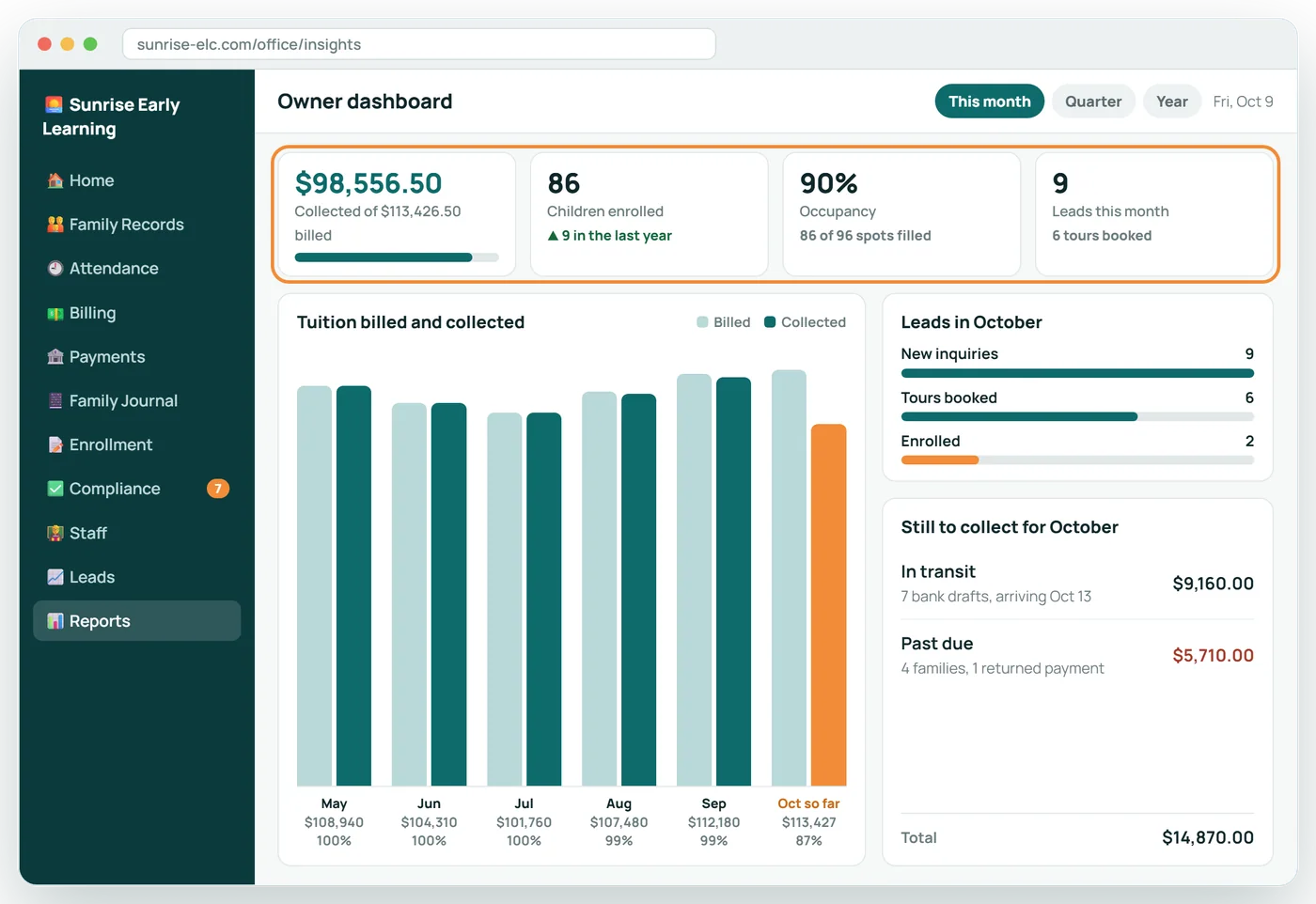
Billed, collected and outstanding this month, with what is overdue and by how long.
Rooms
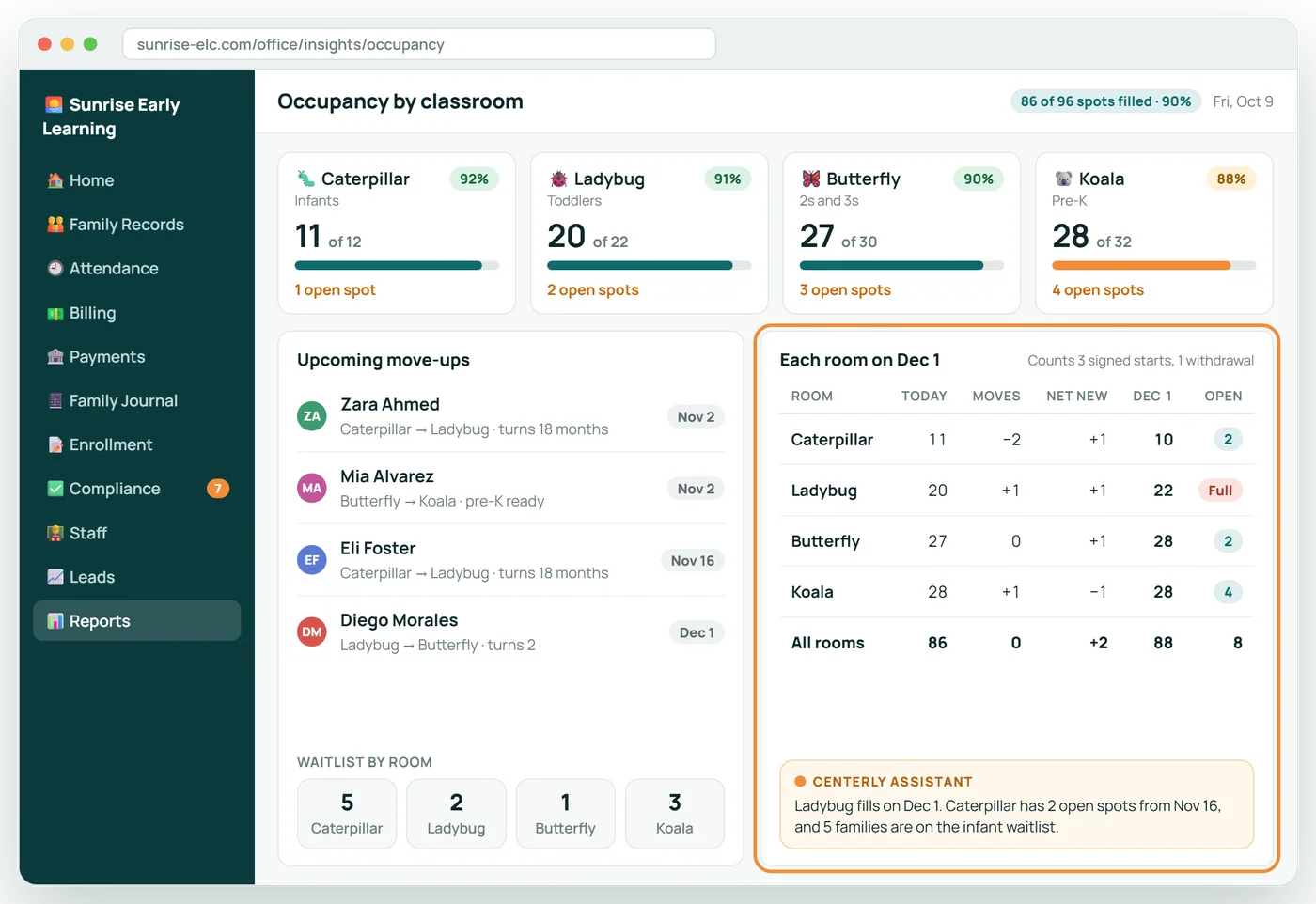
Capacity, enrolled, open spots and upcoming move-ups by classroom.
Direction
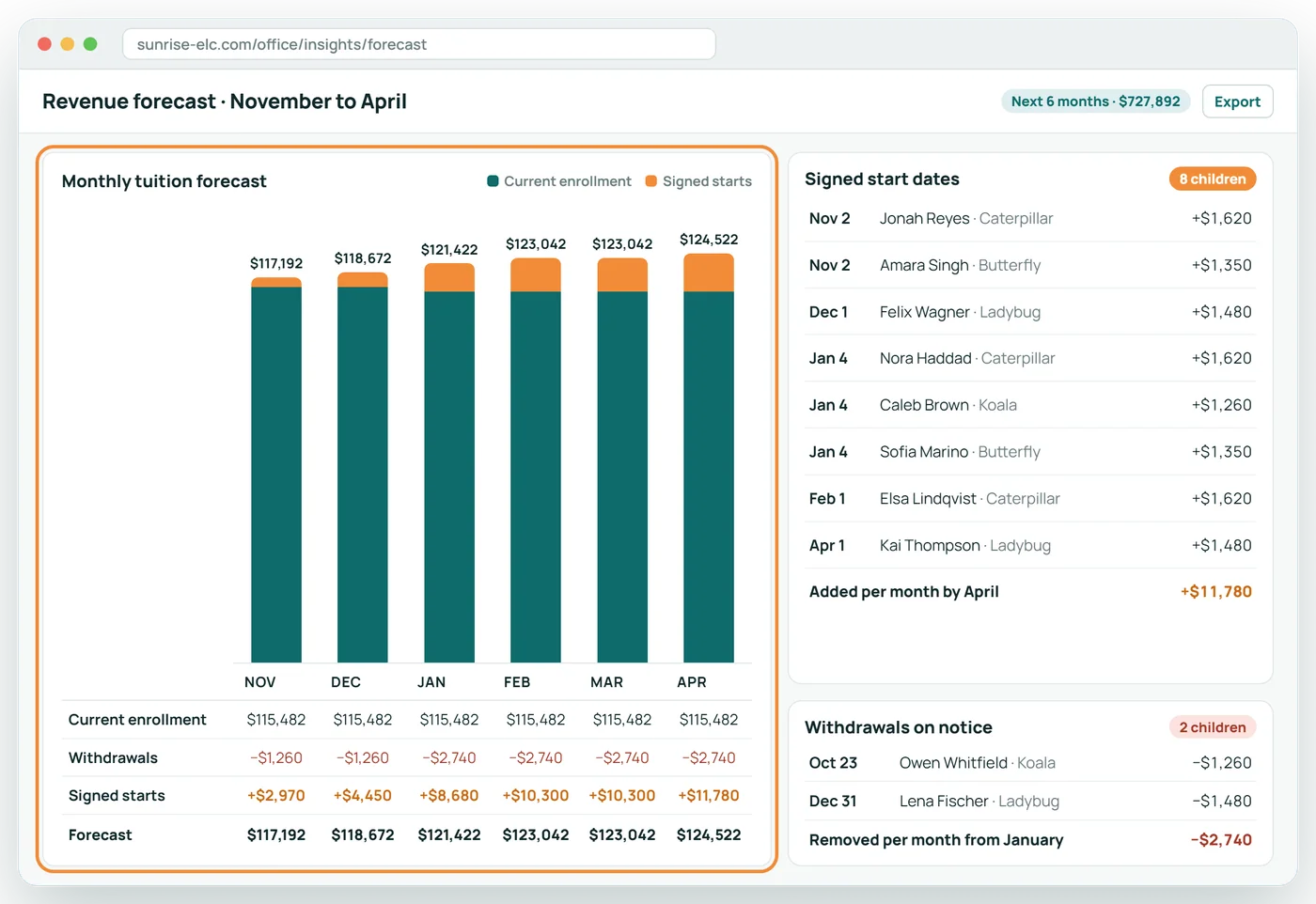
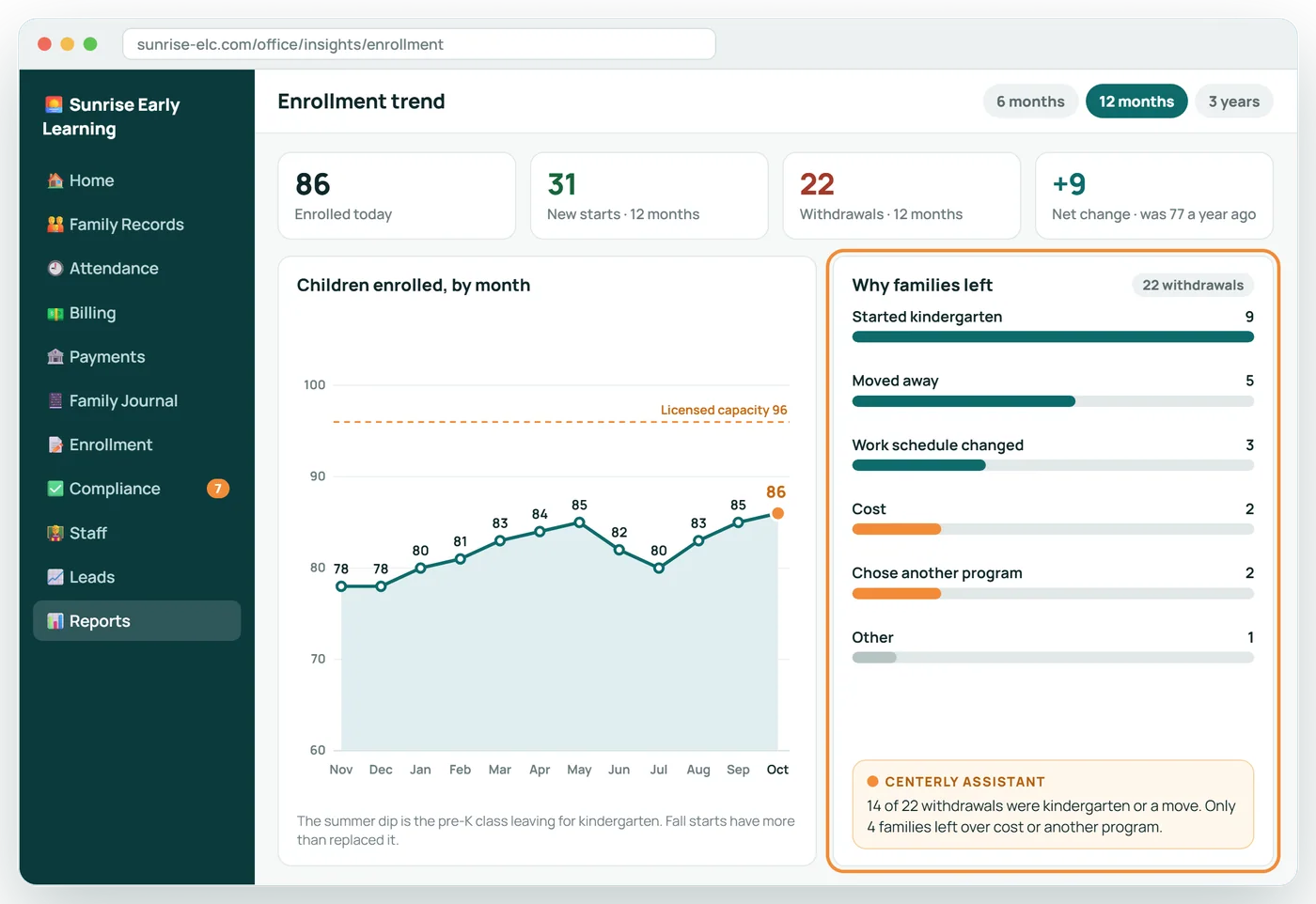
Enrollment trend, withdrawal reasons and a revenue forecast from signed start dates.
Owner Dashboard in 6 screens
Your whole center on one screen
Revenue collected against what was billed, enrollment, occupancy and new leads, updated as payments and sign-ins happen.
Know which rooms have space, and when
Capacity, enrollment and open spots for each classroom, with move-ups, signed starts and withdrawals already counted in.
A six-month forecast you can explain
Built from today's enrollment at agreement rates, plus every signed start date and every withdrawal on notice. No guesswork.
See why families stay, and why they leave
Twelve months of enrollment next to the reason recorded for every withdrawal, so you fix the right thing.
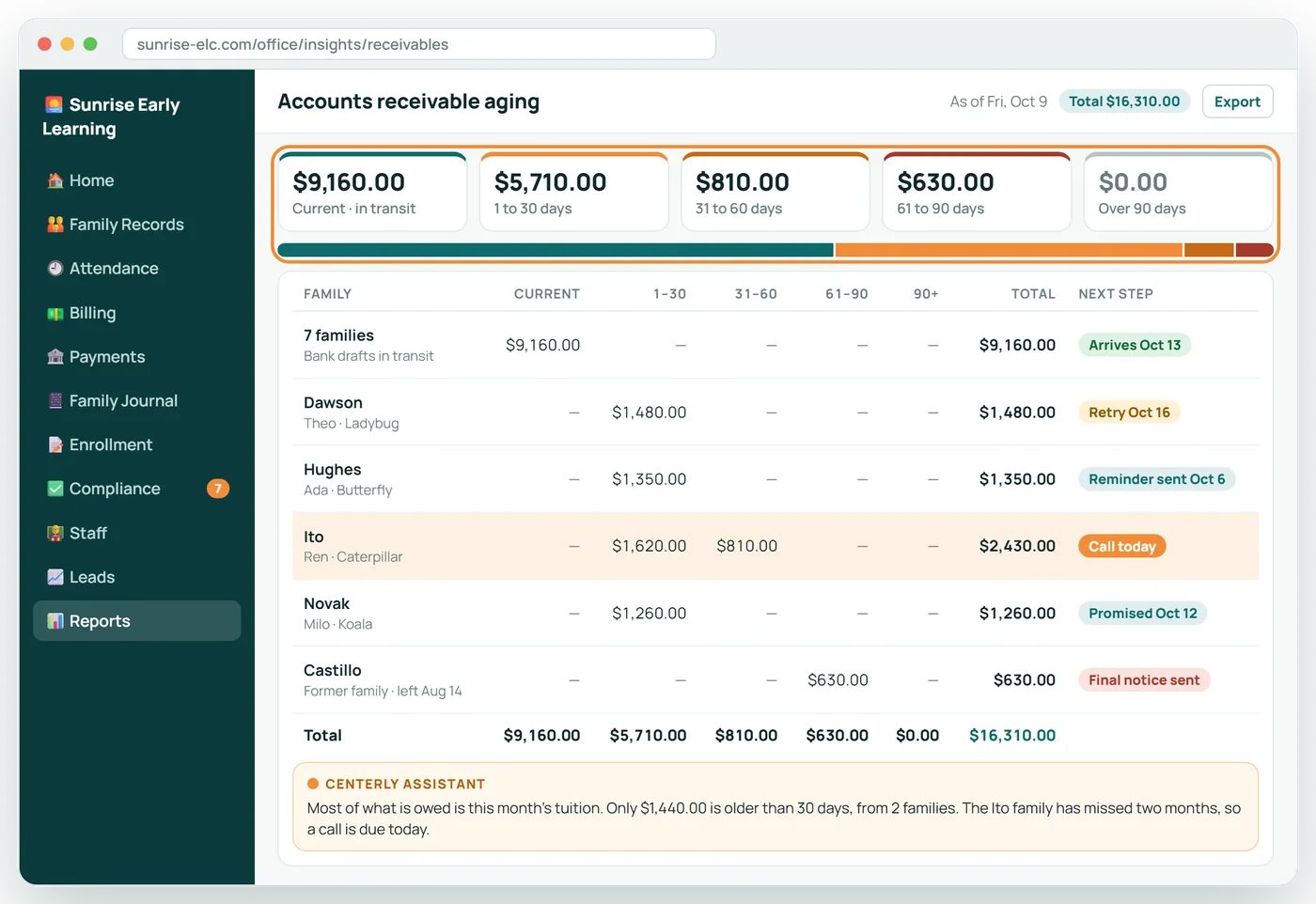
Who owes what, and for how long
Receivables sorted by age, family by family, with the next step already in motion for each one.
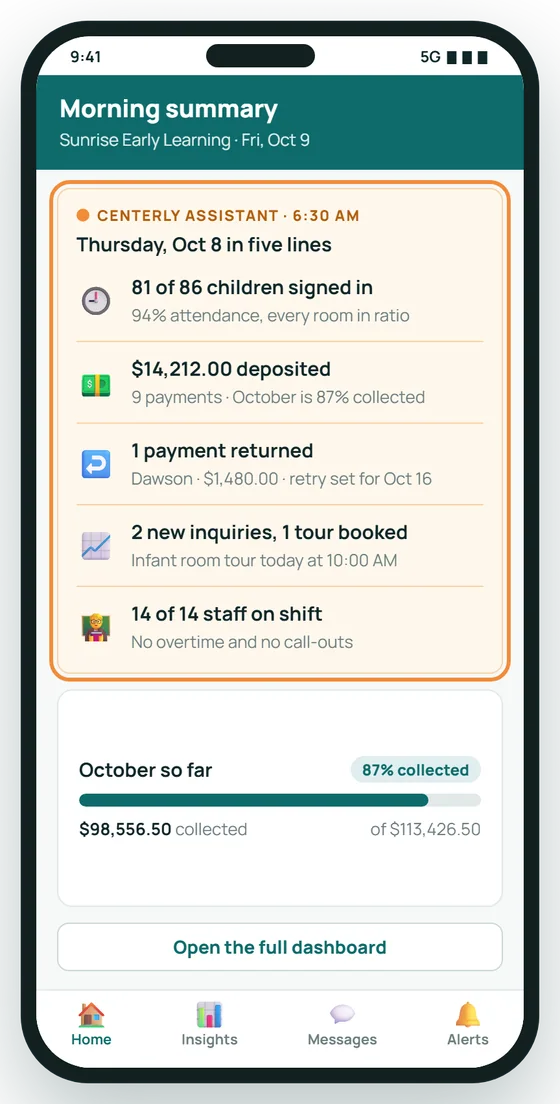
Yesterday in five lines, before coffee
Each morning the owner gets a short summary on their phone: attendance, money in, anything returned, leads and staffing.
About Owner Dashboard
Can I see it on my phone?
Yes, including a short morning summary.
Does it forecast?
Revenue is projected from current enrollment and signed start dates.
Can my accountant use it?
Reports can be saved and sent to your accountant.
Related features
Tuition Billing
Tuition that follows each family's signed agreement, prorated automatically.
See it →PaymentsPayments
Collect tuition by bank draft or card, and see every dollar land.
See it →MoreBuilt for Growing Centers
Waitlists, staff schedules, meals, subsidies and every location you open.
See it →See Owner Dashboard with your own center in mind
A 30-minute call, shaped around how your center runs today.